
Articles
Guide to scheduling friend meetups: cut planning time 67% in 2026
Learn how to schedule friend meetups 67% faster using streamlined tools and strategies. Cut planning time from 30+ minutes to under 10 with proven methods for 2026.
Guide to scheduling friend meetups: cut planning time 67% in 2026

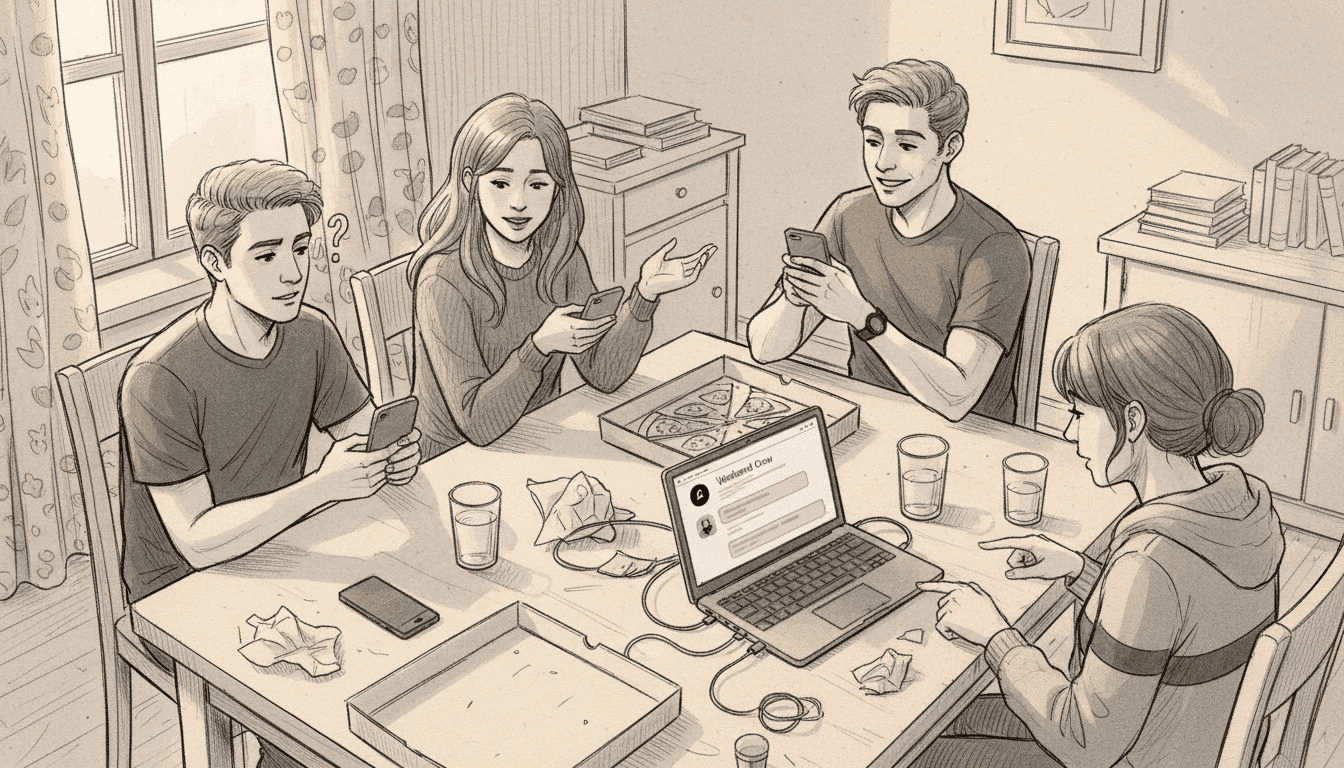
You know the drill. Someone throws out "Let's hang out this weekend!" in the group chat, and suddenly you're drowning in 50 messages trying to align five different schedules. By the time everyone agrees on a time, half the group has lost interest or made other plans. This guide shows you practical methods to streamline social planning and slash coordination time by two-thirds, getting you from idea to confirmed plans in under 10 minutes.
Table of Contents
- Why Scheduling Friend Meetups Is Challenging
- Prerequisites And Preparation For Scheduling
- Choosing The Right Scheduling Tool For Casual Meetups
- Step-By-Step Scheduling Process For Easy Meetups
- Managing Conflicts And Respecting Preferences
- Common Mistakes And Troubleshooting Tips
- Expected Results And Outcomes When Using Streamlined Scheduling
- Simplify Your Friend Meetups With Groop Labs
- Frequently Asked Questions
Key takeaways
| Point | Details |
|---|---|
| Reduce planning time dramatically | Streamlined tools cut average scheduling from 30+ minutes to under 10 minutes |
| Three options accelerate decisions | Providing exactly three time choices achieves consensus in 85% of cases |
| Upfront unavailability boosts turnout | Allowing participants to indicate conflicts early increases participation by 25% |
| Quick confirmations prevent flaking | Securing attendance within 24 hours reduces cancellations by 30% |
| Time zones matter more than you think | Ignoring zone differences causes 15% of scheduling failures |
Why scheduling friend meetups is challenging
Coordinating casual hangouts shouldn't feel like project management, but here we are. Young adults face unique obstacles when trying to organize even simple get-togethers.
Conflicting schedules top the list of headaches. Between classes, part-time jobs, internships, and other commitments, finding overlapping free time feels impossible. One friend works evenings, another has morning classes, and someone else volunteers on weekends.
Group chats make everything worse. Traditional messaging platforms cause excessive back-and-forth, increasing planning time by over 200%. Messages pile up faster than anyone can read them. Important details get buried under jokes and memes. Someone asks "What about Saturday?" but three conversations have started since then, so the question goes unanswered.
Social dynamics add invisible pressure. Nobody wants to be the person who complicates plans or seems unavailable. You might say yes to a time that doesn't really work, hoping to avoid seeming difficult. This silent agreement to bad timing leads to last-minute cancellations.
The planning burden usually falls on one person. That designated organizer feels responsible for keeping everyone happy while managing the logistics nightmare. They send follow-up messages, track responses, and remind people about decisions.
Key challenges include:
- Tracking availability across multiple people with different routines
- Managing endless message threads that derail into unrelated topics
- Balancing personal preferences without creating conflict
- Maintaining group enthusiasm as planning drags on
- Avoiding the awkwardness of explicitly excluding people
Prerequisites and preparation for scheduling
Before diving into scheduling, gather the right resources and information. Smart preparation cuts planning time in half.
Start by understanding general availability patterns. You don't need exact calendars, just rough windows. Ask upfront: "Who's usually free on weekday evenings?" or "Weekend mornings or afternoons work better?" This simple question eliminates dozens of later messages.
Choose a scheduling tool everyone can access easily. The app needs to work on both iOS and Android, require minimal setup, and avoid complicated features. Your friends won't download something that needs 10 minutes of configuration. Free options work fine for casual meetups, so skip premium subscriptions.
Verify basic technical requirements. Everyone needs:
- Smartphone with internet access (WiFi or data)
- Ability to receive notifications
- Willingness to check one more app occasionally
- Basic comfort with mobile interfaces
Prepare your own availability first. Know your non-negotiable conflicts before proposing times. This prevents the embarrassing situation where you suggest Saturday afternoon, then realize you have a dentist appointment.
Create a simple framework for communicating constraints. Encourage friends to share unavailability upfront rather than saying "maybe" to everything. A quick "I'm out Tuesdays and Thursdays" saves everyone time.
| Preparation Item | Why It Matters | Time Investment |
|---|---|---|
| Poll general availability | Eliminates 60% of conflicts before detailed scheduling | 2 minutes |
| Select accessible tool | Ensures universal participation | 5 minutes |
| Confirm tech readiness | Prevents day-of technical issues | 1 minute |
| Document personal constraints | Enables honest, efficient planning | 3 minutes |
Consider following a step-by-step meetup guide to structure your preparation. These frameworks help first-time organizers avoid common mistakes.
Choosing the right scheduling tool for casual meetups
The right app transforms scheduling from a multi-day ordeal into a 10-minute task. But most calendar tools are built for professional meetings, not casual friend hangouts.

Look for single-click availability marking. Your friends won't fill out detailed forms or toggle 20 time slots. The best group planning apps cut stress by 70% by letting people tap "free" or "busy" in seconds. Apps with this feature reduce planning time by up to 50% through streamlined availability entry.
Automated conflict detection is non-negotiable. The tool should instantly show which times work for everyone versus which exclude people. Manual conflict checking wastes time and causes errors. You want to see at a glance that "Saturday 2pm works for 5/6 people" without counting responses.
Casual tone matters more than you'd think. Professional scheduling tools feel too formal for "grabbing coffee" or "studying together." An interface designed for friends uses relaxed language and playful design. This reduces psychological barriers to participation.
Mobile-first design is critical. Young adults live on their phones. Desktop-only tools or apps with clunky mobile versions get ignored. The scheduling process should happen entirely within a messaging-style interface.
Pro Tip: Test the tool yourself before introducing it to friends. Create a fake event with multiple time options. If you feel confused or annoyed during setup, your friends definitely will.
| Feature | Professional Tools | Friend-Focused Apps | Impact on Speed |
|---|---|---|---|
| Availability input | Calendar grid selection | Single tap per option | 3x faster |
| Conflict display | Text list of responses | Visual availability bars | Instant clarity |
| Interface tone | Formal business language | Casual, friendly copy | Higher engagement |
| Mobile experience | Desktop port | Native mobile design | 90%+ completion |
Explore Howbout app alternatives to compare features across popular friend scheduling tools. Understanding hassle-free group apps benefits helps you prioritize must-have features versus nice-to-haves.
Step-by-step scheduling process for easy meetups
Follow this sequence to move from "we should hang out" to confirmed plans in under 10 minutes.
-
Gather rough availability first. Send a quick message: "Thinking we could do this next week. Who's generally around weekday evenings vs. weekend?" Wait for responses before proposing specific times. This prevents suggesting Monday when half the group has class.
-
Propose exactly three time options. Not two, not five. Three distinct choices optimize decision-making without overwhelming people. Space them across different days and times to accommodate various schedules. Example: "Option A: Thursday 7pm, Option B: Saturday 2pm, Option C: Sunday 11am."
-
Use app features to surface conflicts automatically. Let the tool show who's available for each option. This removes the need for manual tracking and prevents mistakes. Everyone sees the same information simultaneously, reducing confusion.
-
Ask for quick availability indication. Set a response deadline, typically 12-24 hours for casual plans. Message: "Tap your availability by tomorrow evening so we can lock this in." Deadlines create urgency without pressure.
-
Confirm final details within 24 hours of responses. Once you hit 80% consensus on one option, declare it the plan. Send a confirmation message with the chosen time, location, and any other relevant details. Ask people to acknowledge they saw it.
Pro Tip: Choose the time that works for the most people, even if it's not your first choice. Being flexible as the organizer encourages others to participate next time.
For more detailed guidance, check out this step-by-step group hangout guide. You can also reference a friend group organizing checklist to ensure you don't miss critical steps.
Additional easy group hangout planning tips cover nuanced scenarios like last-minute changes or dealing with chronic late responders.
Managing conflicts and respecting preferences
Even with great tools, scheduling conflicts happen. How you handle them determines whether plans succeed or fizzle.
Encourage upfront unavailability communication. Create a culture where saying "I can't do evenings this week" feels normal, not rude. Allowing participants to indicate conflicts early improves actual turnout because people commit to times that genuinely work.
Clear communication reduces misunderstandings by 40%. Spell out details that seem obvious. "Saturday afternoon" means different things to different people. Say "Saturday, March 15, 2pm-4pm" instead. Include the activity too: "coffee at Main Street Cafe" not just "hanging out."
Always confirm time zones for friends in different locations. Remote students, friends who moved away, or anyone traveling create timezone confusion. Add "2pm Eastern / 11am Pacific" to your messages. This simple step prevents 15% of scheduling failures.
Respect personal preferences while maintaining group vibe. If someone consistently can't make weekday plans due to work, rotate scheduling to include weekend options sometimes. Balance accommodation with practicality. You can't please everyone every time, but showing effort matters.
Key conflict management strategies:
- Rotate meeting times to fairly distribute convenience
- Acknowledge conflicts openly rather than ignoring them
- Offer makeup plans for people who must miss the main event
- Keep the group informed about last-minute changes immediately
For deeper strategies, explore these friend group coordination tips covering everything from handling flaky friends to managing large groups.
Common mistakes and troubleshooting tips
Learn from others' scheduling disasters to avoid your own.
Ignoring time zones causes unnecessary failures. Even a one-hour difference between nearby cities creates problems. Always confirm zones before finalizing times, especially for virtual hangouts. This prevents the awkward "I thought we said 3pm?" confusion that derails 15% of meetups.
Not confirming attendance promptly raises cancellation rates. When you let plans drift without confirmation, commitment weakens. People make backup plans or simply forget. Confirming within 24 hours of scheduling reduces cancellations by 30% compared to loose, unconfirmed arrangements.
Offering too many options overwhelms decision-making. Five or six time choices seem generous but actually slow consensus. Research shows excess options make event planning worse. Stick to three maximum.
Skipping follow-up messages leads to forgotten plans. Send a reminder 24 hours before the meetup. A simple "Still on for tomorrow at 2pm?" reconfirms attendance and jogs memories. Without reminders, 20% of planned meetups get postponed or cancelled due to forgotten commitments.
Common troubleshooting fixes:
- Low response rates: Set a shorter deadline and send one reminder
- Constant rescheduling: Poll for preferred days/times first, then schedule further out
- Last-minute cancellations: Require confirmation closer to the event date
- Tech issues with the app: Have a backup communication method ready
Understand typical group scheduling challenges to anticipate problems before they derail your plans.
Expected results and outcomes when using streamlined scheduling
What should you realistically expect after implementing these strategies?
Average scheduling time drops to under 10 minutes when using proper tools and methods. Compare this to 30+ minutes of traditional group chat coordination. You'll spend less time planning and more time actually hanging out.
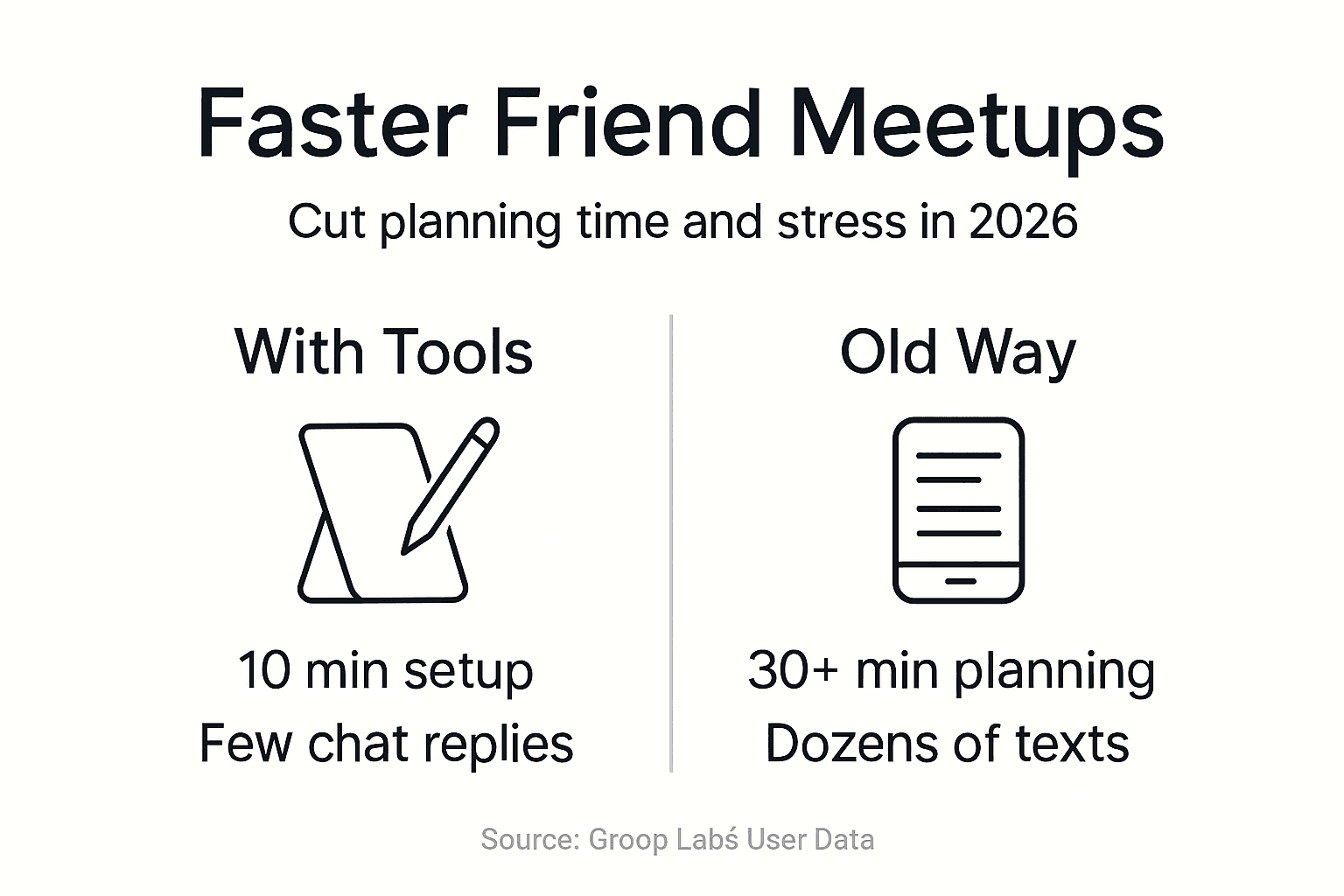
Consensus happens faster with structured approaches. When you provide exactly three options and use automated conflict detection, 85% of groups reach agreement on the first try. No endless back-and-forth or decision paralysis.
Back-and-forth communication decreases by at least 50%. Instead of dozens of messages scattered across days, you'll see focused responses within a defined timeframe. Group chats stay cleaner and more enjoyable.
Scheduling conflicts decrease by 40% or more through upfront availability sharing and smart conflict detection. Fewer "oh wait, I can't actually make that" surprises after you've already finalized plans.
| Metric | Traditional Method | Streamlined Approach | Improvement |
|---|---|---|---|
| Planning time | 30-45 minutes | Under 10 minutes | 67% reduction |
| Messages exchanged | 40-60 per event | 15-20 per event | 60% fewer |
| Consensus rate | 60-70% | 85%+ | 20% increase |
| Last-minute changes | 30% of events | Under 15% | 50% reduction |
"The difference is night and day. We used to spend entire evenings just trying to pick a time to study together. Now we're scheduled and confirmed before I finish my coffee." - College student using modern scheduling tools
These improvements compound over time. Each successful, stress-free scheduling experience builds group confidence and participation. Check out tips for simplifying social planning to maintain momentum.
Simplify your friend meetups with Groop Labs
Ready to stop drowning in scheduling messages and actually spend time with friends? That's exactly why we built Grooop.

Our app gives you single-click availability, instant conflict detection, and the fastest path to confirmed plans. We designed every feature specifically for casual friend groups who want simple coordination without the corporate calendar feel.
Group planning apps with 70% less stress aren't magic. They just eliminate the friction between "let's hang out" and actually hanging out. Grooop handles the logistics so you can focus on having fun.
Get started with our friend group meetup guide and see how quickly you can go from idea to confirmed plans. Your group chat will thank you.
Frequently asked questions
How can I handle a friend who rarely responds to scheduling messages?
Set clear response deadlines and proceed without stragglers. Message them directly outside the group chat asking if they want to be included in future plans. If someone consistently ignores scheduling requests, they're voting with their silence.
What's the best way to confirm attendance without seeming pushy?
Send a friendly reminder 24 hours before with practical details: "Excited for coffee tomorrow at 2pm! Main Street Cafe on the corner of 5th." Frame it as helpful information rather than a demand. Most people appreciate the reminder.
How do I coordinate with friends in different time zones easily?
Always include both zones in your messages: "3pm Eastern / 12pm Pacific." Use scheduling tools that automatically convert times. When in doubt, send a screenshot of a timezone converter showing the proposed time in each relevant zone.
Is it better to use one app or just group text for casual meetups?
Dedicated scheduling apps save massive time for groups of 4+ people or frequent meetups. Group texts work fine for two or three people making simple plans. The complexity and frequency of your hangouts should determine your tool choice.
Can scheduling tools integrate with calendars I already use?
Many modern scheduling apps sync with Google Calendar, Apple Calendar, and Outlook. This prevents double-booking and lets you mark availability based on existing commitments. Check integration options before committing to a specific tool.
Recommended
- 8 Fun Ways to Plan With Friends for Memorable Moments 2026 | Groop Blog
- 7 Steps for the Ultimate Friend Group Planning Checklist | Groop Blog
- Why Manage Friend Group Events: Streamlined Social Planning | Groop Blog
- Group Planning Apps Cut 70% Stress for Friends in 2026 | Groop Blog
- 7 Top Astrology Trends 2026 to Elevate Your Daily Rituals | Lunaris