
Articles
Step-by-Step Friend Group Hangout Guide for Easy Planning
Discover this friend group hangout guide for university students. Learn step-by-step how to organize relaxed, fun get-togethers with your friends.

Step-by-Step Friend Group Hangout Guide for Easy Planning

Every friend group knows the struggle of endless texts and jumbled schedules when trying to plan a simple hangout. Balancing study sessions, part-time jobs, and different routines can make organizing a night out in any American college town feel impossible. With Grooop, you can create a centralized digital space where planning social activities actually becomes easy and fun, so focusing on making memories together takes center stage.
Table of Contents
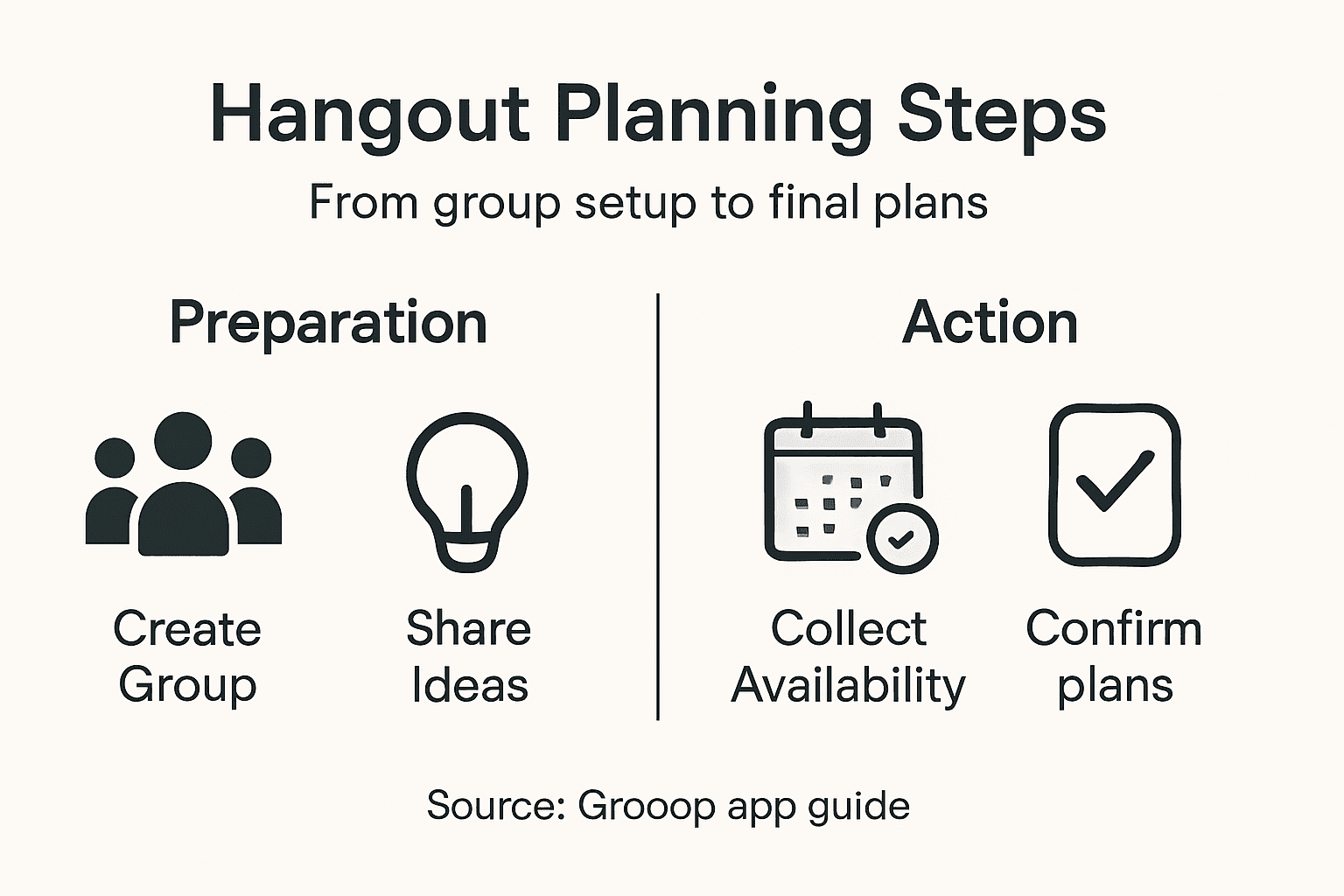
- Step 1: Set Up Your Friend Group in Grooop
- Step 2: Suggest Fun Hangout Ideas
- Step 3: Share and Confirm Availabilities
- Step 4: Resolve Conflicts With Simple Choices
- Step 5: Lock In The Final Plans
Quick Summary
| Key Point | Explanation |
|---|---|
| 1. Create a Fun Group Identity | Use a memorable name and profile to foster connection and engagement among group members. |
| 2. Engage Everyone in Activity Planning | Use polls to vote on group activities, ensuring everyone feels involved and excited. |
| 3. Streamline Availability Checks | Utilize Grooop to create an availability poll for easy scheduling without confusion. |
| 4. Manage Conflicts Respectfully | Implement structured techniques for decision-making to ensure flexibility and mutual respect among group members. |
| 5. Confirm Plans Clearly | Lock in details such as time, location, and contributions, transforming tentative plans into solid commitments. |
Step 1: Set Up Your Friend Group in Grooop
Setting up your friend group in Grooop is a straightforward process that transforms chaotic scheduling into smooth social coordination. This step will help you create a centralized space where your entire squad can plan hangouts with minimal effort.
To begin, download the Grooop app and create your group's digital home. Start by tapping the "Create Group" button and giving your group a memorable name that reflects your friend circle. You'll want to choose something fun and recognizable - whether it's "Ramen Night Crew" or "Weekend Warriors" - that makes everyone feel instantly connected.
Next, invite your friends directly through the app using their phone numbers or email addresses. Grooop makes this process super simple by allowing you to send invitations with just a few taps. When inviting, consider these key steps:
- Send personalized invites that explain why you're creating the group
- Choose friends who are reliable and actually show up to planned events
- Make sure everyone understands how the group coordination platform works
The secret to a great friend group is creating a space where planning feels effortless and fun.
Once your friends join, customize your group's profile by adding a group photo, setting some basic preferences about hangout styles, and establishing any recurring traditions you might have. This helps create a sense of shared identity and makes everyone feel more invested in the group.

Pro tip: Ask each friend to set their general availability upfront to make scheduling future meetups much faster and smoother.
Step 2: Suggest Fun Hangout Ideas
Coming up with exciting group activities can sometimes feel like a creative challenge, but with the right approach, you can transform ordinary meetups into memorable experiences. Your goal is to discover hangout ideas that spark enthusiasm and cater to everyone's interests while keeping things fresh and engaging.
Start by exploring fun activities that work for different group sizes and preferences. The key is variety and flexibility. Consider creating a mix of options that blend indoor and outdoor experiences, ensuring there's something for everyone. Some crowd-pleasing ideas include:
- Board game nights with competitive twists
- Potluck dinners where everyone contributes a unique dish
- Group cooking classes or recipe challenges
- Outdoor adventures like hiking or picnics
- Movie marathons with themed snack selections
- Escape room experiences
- Local museum or gallery tours
- Weekend road trips
To make selection democratic and exciting, create a shared poll in your Grooop group where friends can vote on potential hangout ideas. This approach not only generates enthusiasm but also ensures everyone feels involved in the decision-making process.
The best group activities are those that create shared memories and spark genuine connections.
Remember that the most successful hangouts aren't about perfection but about creating opportunities for genuine interaction. Mix up your activities to keep things interesting and be open to spontaneous suggestions from group members.
Pro tip: Rotate the responsibility of planning hangouts among group members to keep ideas fresh and distribute the planning workload.
Step 3: Share and Confirm Availabilities
Confirming everyone's availability is a critical step in making your group hangout actually happen. Grooop simplifies this process by providing an intuitive platform that eliminates the endless text message back-and-forth that typically derails social planning.
Start by creating an availability poll within your group. Grooop allows you to quickly generate a flexible scheduling tool where each friend can mark their potential time slots. When creating your availability poll, consider these key strategies:
- Set a reasonable time frame (typically 1-2 weeks in advance)
- Include multiple potential date and time options
- Allow flexible response windows for busy friends
- Mark any absolute deal-breaker conflicts
- Provide clear context about the proposed hangout
The beauty of using a digital platform is how it automatically highlights common available windows for your entire friend group. This means no more complicated mental math or comparing multiple separate schedules.
The most successful hangouts start with understanding everyone's individual constraints.
Once everyone has input their availability, review the results together. Grooop will help you identify the optimal time slots that work for the maximum number of friends. Be prepared to have some friendly negotiation and compromise - flexibility is key to making group plans work.
Pro tip: Always include a "maybe" option in your availability poll to capture friends who have tentative schedules.
Step 4: Resolve Conflicts With Simple Choices
Conflict is inevitable when coordinating group plans, but with the right approach, you can transform potential disagreements into collaborative decisions. Your mission is to navigate scheduling challenges smoothly and keep everyone's feelings and preferences front and center.
When conflicting preferences emerge, use structured conflict resolution techniques that prioritize group harmony. Grooop provides several strategies to manage these moments:
- Offer ranked choice voting for activity selection
- Create alternative time slot options
- Allow anonymous preference submissions
- Highlight compromise windows
- Enable direct group messaging for quick negotiations
The key is maintaining flexibility and mutual respect. Instead of getting stuck on individual preferences, focus on finding solutions that work for the majority while ensuring no one feels completely left out.
Successful group planning isn't about winning, it's about finding common ground.
Utilize Grooop's built-in voting and polling features to make decision-making transparent and democratic. By presenting clear, simple choices, you reduce the emotional friction that can derail group plans.
Pro tip: Set a reasonable time limit for decision-making to prevent endless discussions and maintain momentum.
Step 5: Lock In the Final Plans
After navigating through group preferences and potential conflicts, it's time to transform your collaborative discussions into a concrete plan. This final step is about crystallizing everyone's input into a definitive hangout that everyone can get excited about.
Successful group planning requires clear confirmation of all critical details. Use Grooop's finalization features to ensure everyone is on the same page by addressing these essential elements:
- Confirm exact date and time
- Specify precise location or meeting point
- Outline any required contributions (food, equipment, transportation)
- Set a clear meeting agenda or activity plan
- Establish any cost-sharing or financial arrangements
- Determine transportation or logistical details
The digital commitment process in Grooop allows each participant to acknowledge and confirm their participation. This transforms tentative plans into solid commitments, reducing last-minute dropouts and uncertainty.
The magic happens when individual maybes become a collective yes.
Encourage everyone to update their personal availability and explicitly confirm their attendance. This transparency helps build anticipation and ensures everyone feels invested in making the hangout a success.
Pro tip: Create a quick group chat thread for last-minute coordination and excitement building.
Compare Grooop’s digital coordination to traditional group planning:
| Process Type | Speed of Planning | Clarity of Details | Participation Level |
|---|---|---|---|
| Grooop App-Based | Fast and efficient | Details are transparent | Higher, more inclusive |
| Text Message Only | Slow, often delayed | Details get scattered | Lower, less organized |
Here's a quick overview of each Grooop planning step and its main benefit:
| Step | Core Action | Main Benefit |
|---|---|---|
| Set Up Your Friend Group | Create and invite to digital group space | Centralized planning |
| Suggest Fun Hangout Ideas | Propose and vote on activities | High engagement |
| Share and Confirm Availabilities | Collect everyone's schedules | Easy coordination |
| Resolve Conflicts | Use structured decision tools | Fewer disputes |
| Lock In the Final Plans | Confirm details and attendance | Reliable commitments |
Simplify Your Friend Group Hangouts with Grooop
Planning hangouts with friends can quickly become overwhelming when juggling everyone's busy schedules and preferences. This article highlights common challenges like coordinating availabilities, resolving conflicts, and locking in plans without endless back-and-forth. If you want to ditch the chaos and keep your friend group connected and excited, Grooop offers a streamlined solution designed just for you.

Experience how Grooop transforms friend group planning by centralizing invites, synchronizing availability automatically, and providing simple choices that everyone can agree on. Stop letting scheduling conflicts stall your fun. Take control and start creating memorable hangouts effortlessly with Grooop. Visit Grooop's homepage now and see how easy coordinating your next get-together can be. Your friend group deserves the smoothest planning experience possible.
Frequently Asked Questions
How do I set up my friend group in Grooop?
To set up your friend group in Grooop, download the app and click the 'Create Group' button. Choose a fun name, invite your friends using their phone numbers or email addresses, and personalize the group profile.
What are some fun hangout ideas I can suggest?
Consider a mix of activities like board game nights, potluck dinners, or outdoor adventures. Check the interests of your group members to ensure there's something for everyone.
How can I confirm everyone's availability for a hangout?
Create an availability poll within your group using Grooop, allowing friends to mark their potential time slots. Aim to set this poll up 1-2 weeks in advance to give everyone ample time to respond.
What should I do when my friends have conflicting preferences?
Utilize structured conflict resolution techniques, such as ranked choice voting or alternative time slots. This can help navigate disagreements smoothly and ensure everyone's preferences are considered.
How do I finalize the details for our hangout?
Once you’ve agreed on a time, confirm the exact date, location, and any contributions required from each person. Use Grooop’s features for all participants to acknowledge their attendance for a smoother experience.