
Articles
Step-by-step hangout organizer guide for friend groups
Learn how to organize friend group hangouts effortlessly with this step-by-step guide using a hangout organizer app to eliminate planning chaos and boost attendance.

Step-by-step hangout organizer guide for friend groups

Planning a hangout with friends should be exciting, not exhausting. Yet group chats often turn simple plans into endless back-and-forth messages, buried details, and last-minute cancellations. When half your group ghosts the thread and critical info disappears in a sea of memes, organizing even a casual meetup feels like herding cats. This guide walks you through using a hangout organizer app to streamline every step, from picking a date to confirming attendance, so you can focus on actually enjoying time with your crew instead of managing logistics chaos.
Table of Contents
- Identify Your Group's Planning Challenges
- Prepare Your Hangout With Essential Tools and App Setup
- Step-By-Step Guide To Organizing Your Hangout Smoothly
- Common Hangout Planning Pitfalls and Troubleshooting Tips
- Simplify Your Friend Group Hangouts With Groop
Key takeaways
| Point | Details |
|---|---|
| Centralized planning reduces confusion | Using one app for polls, messaging, and event details keeps everyone on the same page without hunting through chat history. |
| Structured steps improve response rates | Clear processes with deadlines and reminders prompt faster replies and reduce uncertainty about who's actually coming. |
| Proactive troubleshooting prevents cancellations | Anticipating common issues like slow responses or last-minute changes keeps plans on track. |
| App features cut cognitive load | Consolidating tools in one place eliminates the stress of juggling multiple platforms for a single hangout. |
Identify your group's planning challenges
Before jumping into solutions, recognize what makes organizing hangouts so frustrating in the first place. Important details get buried in group chats, leading to confusion and repeated questions about the plan. You suggest a time, someone asks about the location three hours later, another person chimes in with dietary restrictions, and by the time you scroll back to find the original proposal, five new conversations have started. This scattered communication creates a cycle where nobody feels confident about what's actually happening.
Response times taking forever cause uncertainty and can lead to half the group making other plans. When you float an idea on Monday and only hear back from two people by Wednesday, momentum dies. The silence makes everyone hesitant to commit, creating a standoff where nobody wants to be the first to say yes. Meanwhile, the weekend approaches and suddenly everyone's calendar fills up with backup options.
Managing multiple platforms adds another layer of stress. You're polling in one app, chatting in another, checking calendars in a third, and trying to remember who said what where. This cognitive load drains energy that should go toward actually planning a fun experience. Following group chat best practices helps, but even perfect etiquette can't solve structural problems with how traditional messaging handles coordination.
These issues compound into real consequences:
- Plans fall through because critical details never get confirmed
- Attendance drops when people feel uncertain or overwhelmed
- Social fatigue builds as organizing feels harder than it should
- Groups stop trying to meet up regularly, weakening friendships
Recognizing these patterns is the first step toward fixing them. Once you understand why hangout planning challenges emerge, you can choose tools and processes that directly address the root causes instead of just working around symptoms. Applying group chat etiquette tips helps smooth communication, but pairing good habits with the right technology creates lasting improvement.
Prepare your hangout with essential tools and app setup
Solving planning chaos starts with choosing the right foundation. Pick an app that combines polling, scheduling, messaging, and location sharing in one place instead of forcing your group to bounce between platforms. Look for features like automated reminders, RSVP tracking, and shared calendars that surface conflicts before they derail plans. The goal is reducing friction at every step, making it easier for everyone to stay informed and engaged.
Create a clear event page as your single source of truth. Include essential details upfront: proposed times, potential locations, who's invited, and what everyone needs to bring or prepare. This centralized hub prevents the classic group chat problem where someone asks a question that was answered 47 messages ago. When all information lives in one accessible spot, you eliminate repeated explanations and give latecomers an easy way to catch up.

Set notification preferences that prompt timely replies without annoying your friends. Most hangout organizer apps let you customize reminder frequency and timing. A gentle nudge 24 hours before an RSVP deadline works better than radio silence followed by frantic last-minute messages. Balance keeping plans moving forward with respecting that everyone has different schedules and response patterns.
Managing multiple apps creates cognitive load that makes planning feel harder than it should. Compare typical approaches to all-in-one solutions:
| Planning Method | Tools Required | Average Setup Time | Response Rate |
|---|---|---|---|
| Traditional group chat | Messaging app, separate poll tool, personal calendars, maps | 15-20 minutes | 60-70% |
| All-in-one hangout app | Single integrated platform | 5-8 minutes | 80-90% |
| Email threads | Email client, calendar invites, external polls | 20-30 minutes | 50-60% |
The data shows consolidation pays off. When you reduce the number of steps and platforms involved, more people actually respond and plans come together faster. Understanding features of group chat apps helps you evaluate which tools genuinely simplify coordination versus just adding another login to remember.
Pro Tip: Sync your hangout app calendar with your personal calendar so event reminders appear alongside work meetings and other commitments. This integration prevents double-booking and helps you spot scheduling conflicts before they become problems.
Invest a few minutes in proper setup and you'll save hours of confusion later. The right tools make stress-free group plan organizing possible by handling logistics automatically, letting you focus on the social aspects that actually matter.
Step-by-step guide to organizing your hangout smoothly
With your app ready, follow this proven process to turn vague ideas into confirmed plans. Each step builds on the previous one, creating momentum that keeps everyone engaged.
-
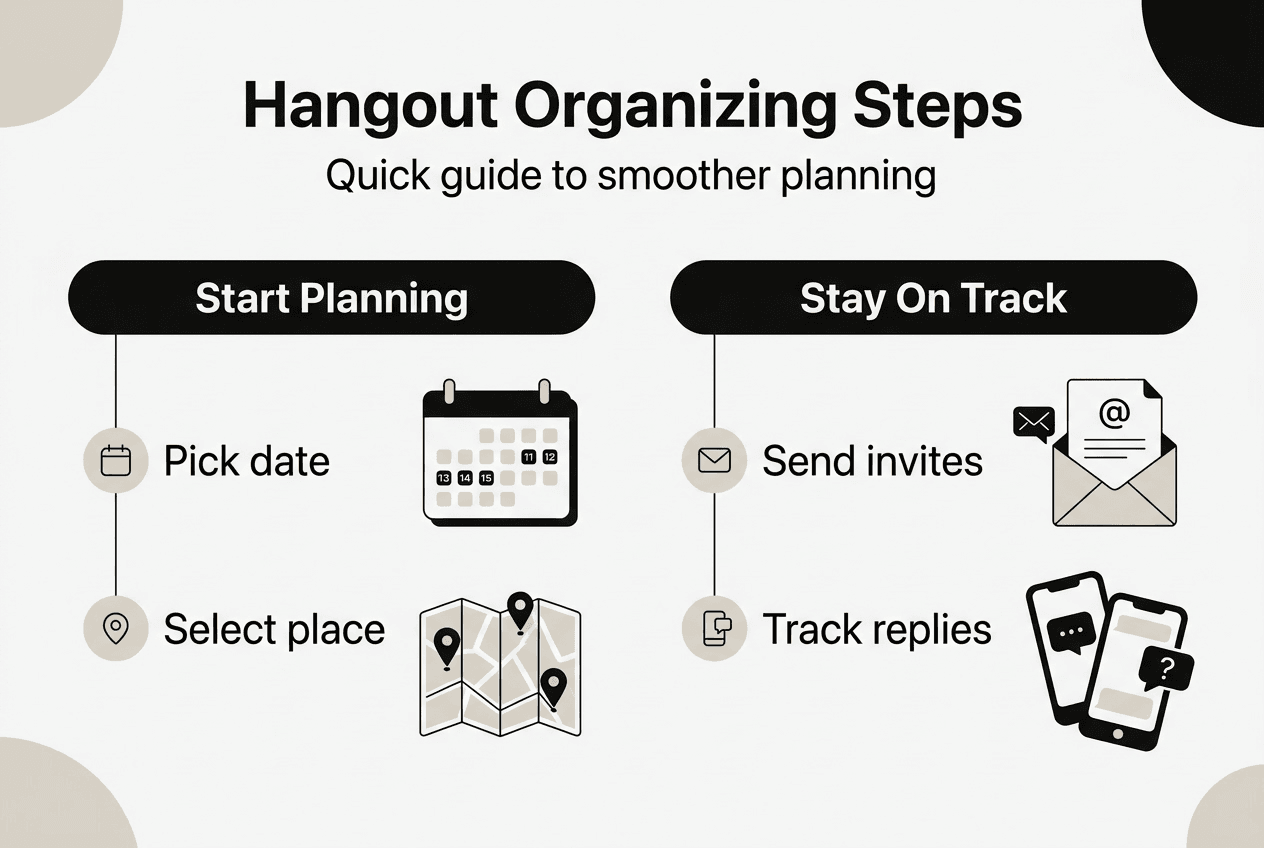
Create event details and share with your group. Open your hangout app and fill in the basics: what you're doing, rough timeframe, and initial location ideas. Keep the tone casual and inviting. Share this with your crew immediately so they can start thinking about availability. The faster you get information out, the sooner responses come back.
-
Use polls to gather preferences efficiently. Launch polls for date options, time slots, and potential venues. Give people three to five choices rather than open-ended questions. Constrained options make decisions easier and faster. Set a deadline for poll responses, typically 48 to 72 hours out, so you can move to the next step without endless waiting.
-
Confirm the plan based on clear results. Once poll deadlines pass, pick the option with the most votes and announce the final decision. Be decisive. Waiting for 100% consensus often means waiting forever. If 70% of your group agrees on Saturday at 3pm, lock it in and notify everyone. Those who didn't vote had their chance to weigh in.
-
Send automated reminders and updates. Use your app's reminder features to ping the group 48 hours before the hangout, then again 24 hours out. Include final details like exact address, parking info, or what to bring. These touchpoints keep the event top of mind and reduce no-shows caused by simple forgetfulness.
-
Monitor RSVPs and follow up strategically. Check who's confirmed, who's maybe, and who hasn't responded. Reach out personally to key people who are on the fence. Sometimes a quick direct message resolves uncertainty that group announcements can't address. Track attendance to gauge whether you need to adjust plans or venue capacity.
Research shows only 28% of current students feel a personal connection to their residential community, highlighting a retention problem that good hangout planning can help address. When organizing feels effortless, groups meet more often, strengthening bonds that might otherwise fade. Following a step-by-step hangout guide creates consistency that builds trust and participation over time.
Compare outcomes with and without structured processes:
| Outcome | Without App Process | With App Process |
|---|---|---|
| Average planning time | 3-5 days | 1-2 days |
| Confirmed attendance rate | 60-65% | 80-85% |
| Last-minute cancellations | 25-30% | 10-15% |
| Group satisfaction | Moderate | High |
The numbers tell the story. Systematic approaches deliver better results across every metric that matters. Managing hangout logistics becomes straightforward when you have clear steps to follow and tools that support each phase.
Pro Tip: Set response deadlines at odd times like 7pm instead of midnight. People notice 7pm deadlines more and they feel less arbitrary than round numbers, which improves compliance without seeming pushy.
Common hangout planning pitfalls and troubleshooting tips
Even with great tools and processes, challenges pop up. Anticipate these common issues and have solutions ready.
Low early responses create momentum problems. When your initial event announcement gets crickets, people assume others aren't interested and hold back their own commitments. Combat this by personally messaging two or three enthusiastic friends right after posting, asking them to RSVP publicly. Their visible participation signals that the event is happening, encouraging others to jump in. Proactive reminders through your app keep the plan visible without nagging.
Last-minute venue or time changes cause confusion and dropouts. Life happens and sometimes you need to pivot. When changes occur, update your centralized event page immediately and send push notifications to everyone. Explain why the change happened and apologize for any inconvenience. Transparency builds goodwill. Keep all communication in one place so nobody misses critical updates buried in side conversations.
Confusion over logistics like transportation or supplies derails otherwise solid plans. Assign clear roles using your app's features: who's driving, who's bringing snacks, who's booking the reservation. Make these assignments visible to the whole group so everyone knows their responsibility and can see what's covered. This prevents both duplication and gaps where everyone assumes someone else is handling something.
Response delays and confusion lead to half the group making other plans. When you let planning drag on too long, people's calendars fill up with alternatives. Strike while interest is high by moving quickly through each step. Use RSVP deadlines and poll closures to create urgency without pressure.
Troubleshooting tactics for common issues:
- Silent group members: Send friendly direct messages asking if they saw the plan and if the timing works
- Conflicting preferences: Offer to rotate choices so everyone gets their preference eventually
- Technical difficulties: Have a backup communication channel like a simple group text for app issues
- Low energy: Inject enthusiasm by sharing specific exciting details about the planned activity
- Flaky attendance: Build a reputation for following through so people trust plans will actually happen
Applying friend group coordination tips helps prevent many problems before they start. When issues do arise, address them quickly and directly rather than letting frustration build. Use your friend group organizing checklist to catch potential problems during the planning phase when they're easiest to fix.
Pro Tip: Create a group norm where the organizer rotates for each hangout. Shared responsibility prevents burnout and gives everyone appreciation for the coordination work involved, leading to better participation across the board.
Simplify your friend group hangouts with Groop
If you're tired of planning chaos and want hangouts that actually happen, Groop is built specifically for this challenge. The Groop hangout organizer app consolidates polls, messaging, and event details in one streamlined interface designed for casual friend groups who want results without complexity.

Groop helps you reduce confusion and keep everyone updated effortlessly. Instead of juggling multiple platforms and hunting through message threads, you get a single hub where all coordination happens. The app surfaces scheduling conflicts automatically, offers clear choices for meeting times, and maintains your group's natural vibe while handling logistics in the background. It's designed for young adults and teens who value their time and friendships equally.
Key features that make organizing smoother:
- Quick plan creation that goes from idea to poll in under a minute
- Automatic availability alignment that shows when everyone can actually meet
- Conflict surfacing that prevents scheduling disasters before they happen
- Simple choice presentation that makes decisions feel natural, not forced
- Integrated messaging that keeps social chat and logistics in one place
Explore more group hangout planning tips and see how the right tools transform coordination from a chore into something that just works. Check out the complete step-by-step hangout guide to level up your organizing game and spend more time enjoying your crew, less time managing logistics.
FAQ
What is the best way to handle slow responses in group hangout planning?
Use app features like RSVP deadlines and automated reminders to prompt timely responses without seeming pushy. Set clear cutoff times for polls and decisions, then stick to them. Response times taking forever cause uncertainty and can lead to half the group making other plans, so creating gentle urgency keeps momentum alive. Consolidate replies through polls rather than open-ended group chat questions that invite endless discussion.
How can I keep hangout details from getting lost in long group chats?
Use dedicated event pages or apps that centralize all hangout info in one accessible place instead of scattering it across message threads. Important details get buried in group chats, leading to confusion and repeated questions about the plan. Encourage group members to check a single source for updates, times, locations, and logistics. Pin critical information at the top of your event page so latecomers can catch up instantly without scrolling through history.
What steps can reduce last-minute hangout cancellations?
Set clear RSVP deadlines and send friendly reminders via your planning app 48 and 24 hours before the event. Assign specific roles for coordination like transportation or supplies so people feel accountable and invested in showing up. Communicate updates promptly when changes happen, explaining reasons transparently to maintain trust. Build a track record of following through on plans so your group knows events actually happen, which increases commitment over time.
How many people should I invite to keep hangouts manageable?
Aim for groups of four to eight people for most casual hangouts. Smaller groups allow genuine conversation and easier coordination, while larger crowds can feel chaotic and make logistics exponentially harder. Consider the activity type when deciding size. Intimate dinners work best with four to six people, while outdoor activities or game nights can handle eight to ten comfortably. Quality connections matter more than headcount.
Should I plan hangouts weeks in advance or keep them spontaneous?
Balance both approaches based on your group's style and schedules. Regular hangouts benefit from one to two weeks advance notice, giving everyone time to clear calendars and build anticipation. Leave room for spontaneous plans too, since last-minute invites can feel exciting and low pressure. Use your app to gauge availability quickly for impromptu ideas while maintaining a rhythm of scheduled events that people can count on.