
Articles
Group outing scheduling workflow: stress-free plans in 2026
Tired of group chat chaos? Follow this step-by-step group outing scheduling workflow to coordinate stress-free social plans with your friends in 2026.

Group outing scheduling workflow: stress-free plans in 2026

TL;DR:
- Coordinating group outings is often complicated by poor communication, multiple options, and response delays.
- Using dedicated scheduling tools with clear deadlines streamlines the process and reduces chaos.
- Building trust, setting firm response deadlines, and using automation improve attendance and planning success.
You send the message. "Hey, who's free this weekend?" And then the chaos begins. Seventeen replies, four different dates, two people who only respond with emojis, and one friend who says "I'm down for whatever" every single time. Coordinating a group outing should feel exciting, not exhausting. The good news is that with a clear, step-by-step workflow, you can go from "maybe" to "confirmed plans" without the drama. This guide walks you through exactly how to do that, from understanding why group scheduling stalls to using the right tools and fixing common hiccups along the way.
Table of Contents
- Why group outing scheduling is harder than it looks
- What you need before you start: Tools and must-know basics
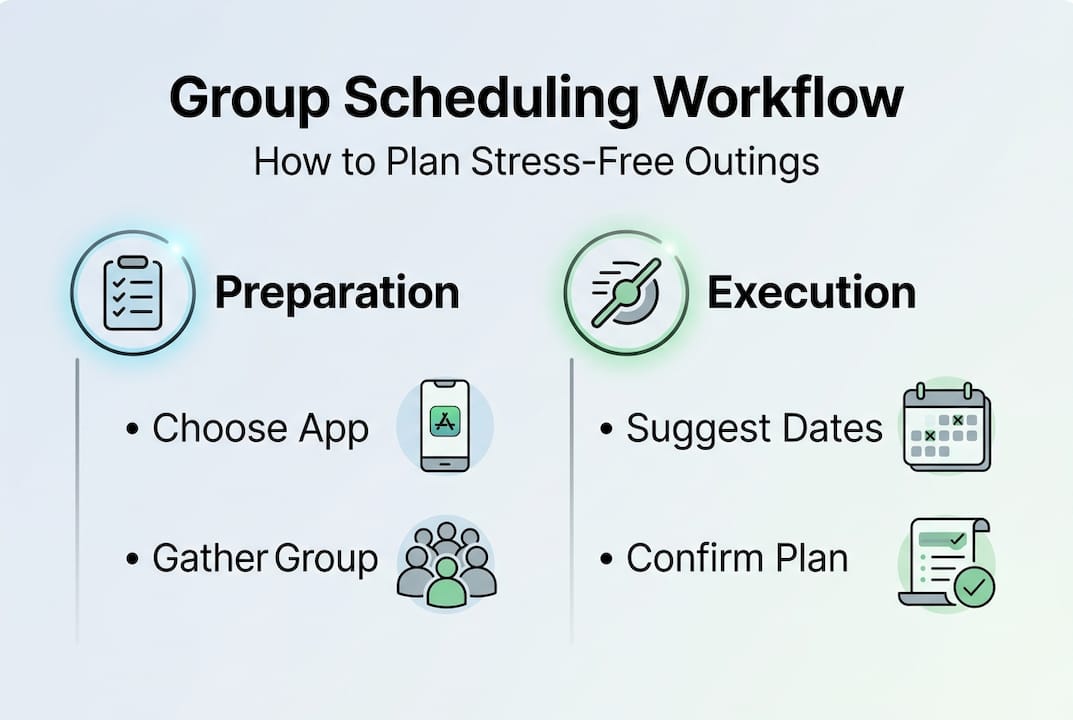
- Step-by-step: A modern group outing scheduling workflow
- Troubleshooting, common mistakes, and quick fixes
- A better way: Why most group scheduling advice misses the mark
- Make group scheduling effortless with Groop
- Frequently asked questions
Key Takeaways
| Point | Details |
|---|---|
| Workflow beats group chat | A step-by-step scheduling workflow prevents confusion and gets your friends together faster. |
| Right tools save time | Using scheduling apps and clear communication streamlines planning and reduces stress. |
| Anticipate common snags | Most group planning mistakes are avoidable with set deadlines and smart reminders. |
| Human touch still matters | Tech helps, but group outings succeed when someone leads and everyone stays flexible. |
Why group outing scheduling is harder than it looks
Organizing a group outing sounds simple on paper. Pick a day, pick a place, show up. But anyone who has tried to coordinate more than three people knows it quickly turns into something closer to herding cats. The problem isn't that your friends don't want to hang out. It's that the process itself is broken.
Group chats are the default tool for most squads, but they're genuinely bad at scheduling. Messages get buried, people respond at different times, and there's no central record of who said yes or no. One person suggests Saturday, another says Sunday works better, and suddenly you're managing a thread with forty messages and zero confirmed plans. Group scheduling challenges like decision fatigue and coordination chaos are among the most common pain points people face when trying to lock in social plans.
Here's what usually goes wrong:
- No designated leader. When everyone is equally responsible, no one takes charge, and the plan drifts.
- Too many options. Giving the group ten possible dates feels generous but actually creates more confusion.
- Slow responders. One or two people who don't reply hold the whole group hostage.
- Vague commitment. "I think I can make it" is not a yes. Without clear responses, you can't finalize anything.
- Platform overload. Switching between texts, DMs, and group chats means information gets lost constantly.
Group size matters too. A squad of four is manageable. A group of ten or twelve introduces exponentially more scheduling conflicts, personality clashes, and indecision. Some people are natural planners and will push things forward. Others are passive and wait to see what everyone else does. Both types exist in almost every friend group, and simplifying group scheduling means designing a process that works for both.
"The real obstacle isn't finding a free day. It's getting everyone to commit to the same one at the same time."
Understanding these friction points is the first step toward fixing them. Once you see why plans stall, you can build a workflow that removes those obstacles before they even appear.
What you need before you start: Tools and must-know basics
Before you send a single message, it helps to have a few things figured out. Technology can greatly reduce group scheduling complexity, but only when you pair it with a bit of upfront clarity. Think of this as your pre-flight checklist.

Start with the basics: who, what, when, and where. Who's invited? What kind of outing is this (casual hangout, birthday dinner, hiking trip)? What's the rough timeframe? And do you have a venue or activity in mind, or is that still open? Answering even two or three of these before reaching out to the group saves everyone time.
Next, choose your tool. Here's a quick comparison to help you decide:
| Tool | Best for | Pros | Cons |
|---|---|---|---|
| Grooop | Casual friend groups | Lightweight, automatic availability matching, low pressure | Newer platform |
| Google Calendar | Work-adjacent groups | Familiar, integrates with email | Feels formal for social plans |
| Doodle | Large groups with varied schedules | Easy polling | No real-time syncing |
| Group chat (SMS/WhatsApp) | Quick, informal check-ins | Everyone already uses it | Gets messy fast |
| When2meet | Finding overlapping free time | Free, visual | No follow-up features |
For streamlining group event planning, a dedicated scheduling app beats a group chat almost every time. Apps designed for this purpose track responses automatically, surface conflicts, and keep everything in one place.
Digital etiquette matters here too. When you introduce a new tool to your group, keep it low-key. Don't make it feel like homework. A simple "Hey, I'm using this app to figure out when everyone's free, takes 30 seconds" goes a long way. People are more likely to engage when the ask feels small.
Pro Tip: Limit your scheduling options to two or three dates maximum. More choices lead to more deliberation and slower decisions. Fewer options move things forward faster.
Also consider real-time group scheduling tools that update as people respond, so you're not manually tallying availability. That kind of automation removes a surprising amount of friction.
Step-by-step: A modern group outing scheduling workflow
With the right tools in place, here's how to actually run the process. A structured workflow can cut group plan coordination time by up to 67%, which means less time texting and more time actually hanging out.
Follow these easy group scheduling steps to keep things moving:
- Propose the outing. One person (the designated scheduler) floats the idea with a clear activity and a rough timeframe. Keep it simple: "Thinking about a Saturday hike in the next two weeks."
- Collect availability. Use your chosen app to gather responses. Give the group 24 to 48 hours to reply. Don't wait longer or momentum dies.
- Identify the best window. Look for the date with the most availability. You won't always get 100% attendance, and that's okay.
- Confirm the details. Lock in the time, location, and any logistics (carpooling, reservations, gear). Share this in one clear message, not a thread.
- Send a reminder. 24 hours before the outing, send a quick reminder with the key details. This alone dramatically improves show-up rates.
- Follow up after. A quick post-outing message keeps the group energy alive and plants the seed for the next plan.
Here's a sample timeline to keep group outing logistics on track:
| Step | Timing | Who's responsible |
|---|---|---|
| Propose outing | 7-10 days out | Designated scheduler |
| Collect availability | Within 48 hours | Everyone |
| Confirm details | 5-6 days out | Designated scheduler |
| Send reminder | 24 hours before | Designated scheduler |
| Post-outing follow-up | Same day or next day | Anyone |
The designated scheduler role is key. This doesn't mean one person does all the work forever. Rotate it. But for each outing, someone needs to own the process. Check out this group event scheduling guide for more detail on how to divide responsibilities fairly.
Pro Tip: Set a "decision deadline" when you first propose the outing. Something like "I'll lock in the date by Thursday" keeps everyone accountable and stops the plan from floating indefinitely.
Troubleshooting, common mistakes, and quick fixes
Even with a solid workflow, things go sideways. Plans stall. Someone ghosts the poll. The app doesn't load for one person. Real life is messy, and automation can address a lot of the chaos and friction in group scheduling, but it can't solve everything.
Here are the most common snags and how to fix them:
- No one responds to the poll. Follow up with a direct, personal message to the quieter members. A group nudge often gets ignored; a one-on-one check-in works better.
- The group can't agree on a date. Default to majority rules. If six out of eight people can make Saturday, go with Saturday. Don't hold the whole plan hostage for two people.
- Someone drops out last minute. Build this into your expectations from the start. Casual outings rarely have perfect attendance. Confirm the plan regardless.
- The app isn't working for someone. Have a backup method ready, like a quick voice note or a simple text poll. Don't let one tech issue derail the whole plan.
- Plans keep getting pushed. This usually signals a motivation or trust issue, not a scheduling one. Revisit the group's interest in the activity and consider something simpler.
When to nudge versus when to reset is a real skill. If a plan has been rescheduled twice, it might be worth starting fresh with a different activity or a smaller group. Sometimes the outing itself isn't the right fit for the moment.
For groups that are resistant to new apps, check out group scheduling app alternatives that might feel less like a commitment. And for ongoing plan management, scheduling social plans together gets easier when the group builds a shared habit around a single tool.
Pro Tip: Use automated reminders whenever possible. A well-timed nudge from an app feels less pushy than a personal follow-up and gets the same result.
A better way: Why most group scheduling advice misses the mark
Here's something most scheduling guides won't tell you: the problem is rarely the tool. It's the group dynamics underneath. We tend to reach for a new app every time plans fall apart, assuming that more features will fix the issue. But what actually makes outings happen is trust, clear communication, and someone willing to make a call.
Over-engineering the workflow backfires for casual friend groups. If your process feels like project management, people will disengage. The goal is a system light enough that no one notices it's a system at all. Master social scheduling means knowing when to use a tool and when to just pick a day and commit.
Flexibility matters more than perfection. A backup plan, a willingness to adjust the headcount, and a culture of showing up even when it's inconvenient will do more for your group's social life than any app ever could. Tech handles logistics. People handle connection.
Make group scheduling effortless with Groop
If this workflow resonates with you, Grooop was built to make every step of it easier. From the first "who's free?" message to the final confirmed plan, Grooop handles the back-and-forth so your group can focus on actually looking forward to the outing.

With Grooop, you don't need to juggle polls, threads, and follow-ups across multiple platforms. The app automatically lines up availability, surfaces conflicts, and gives your group simple choices to land on a time that works. It's the kind of tool that feels invisible because it just works. Explore Groop scheduling tools and see how easy it can be to go from scattered group chat to confirmed plans in minutes. Your next outing is closer than you think.
Frequently asked questions
What is the simplest way to schedule a group outing?
Using a dedicated scheduling app is the simplest approach, since it lets everyone vote on dates automatically and cuts out the endless back-and-forth messaging. Modern group scheduling tools reduce coordination time and frustration significantly compared to group chats.
How do I handle indecisive group members?
Set clear deadlines for responses and offer just two or three date options to make the decision feel manageable. Designated schedulers keep momentum by setting firm cut-off times so plans don't drift indefinitely.
Are group scheduling apps better than using group chats?
Yes, scheduling apps track responses automatically and prevent the confusion that's common in busy group chats. Apps help automate the process and reduce coordination chaos in a way that text threads simply can't.
What should I do if plans keep falling through?
Review your workflow for bottlenecks, make sure the group is genuinely interested in the activity, and use automated reminders to boost accountability. Structured workflows and reminders increase group follow-through and help plans actually stick.
Recommended
- Top ways to manage group outings efficiently in 2026 | Groop Blog
- Simple group event scheduling guide for friends 2026 | Groop Blog
- Group Planning Apps Cut 70% Stress for Friends in 2026 | Groop Blog
- Group outing logistics explained: smart tips for easy planning | Groop Blog
- Tipps für stressfreies Reisen 2026: entspannt planen Reiseexperten.de
- How to schedule shifts efficiently: step-by-step guide