
Articles
Simple group event scheduling guide for friends 2026
Learn how to schedule group events with friends in minutes using free polling tools. No accounts, no chaos, just fast and easy planning for your next hangout.

Simple group event scheduling guide for friends 2026

Planning a hangout with your crew shouldn't feel like herding cats. Yet somehow, a simple "let's hang out this weekend" turns into a 47-message thread with zero decisions made. The good news? Polling tools like Doodle and When2meet have completely changed how friend groups coordinate, making the whole process faster and way less stressful. This guide walks you through exactly why scheduling feels so chaotic, which tools actually work, and how to get your next group event locked in without the usual drama.
Table of Contents
- Why group event scheduling feels complicated
- How modern polling tools make things effortless
- Top no-account tools for quick and stress-free scheduling
- What makes a tool truly easy for friend groups?
- Tips to make your next event a breeze
- Ready to make group planning effortless?
- Frequently asked questions
Key Takeaways
| Point | Details |
|---|---|
| No more group chat chaos | Effective tools let friends schedule hangouts without endless messaging. |
| Pick no-account solutions | Platforms that don’t require sign-ups move events forward faster. |
| Mobile access is key | Mobile-friendly options and SMS reminders help young adults respond quickly. |
| Easy steps for any event | Follow practical tips to make planning social activities smoother for everyone. |
Why group event scheduling feels complicated
With the challenge of group planning in mind, let's explore why it's felt so difficult for so long.
Most of us have been there. You throw out a date in the group chat, three people respond immediately, two go quiet for days, and someone always circles back with "wait, what are we doing again?" It's exhausting. The problem isn't your friends. It's the format.
Group chats are built for conversation, not coordination. When scheduling gets mixed in with memes, reactions, and side threads, important details get buried fast. Here's what typically goes wrong:
- Too many messages, not enough decisions. Every new reply pushes the original question further up the screen.
- No central record. People forget what was agreed on, and someone always misses the update.
- Availability chaos. Trying to manually cross-reference five or six people's schedules in a chat is genuinely painful.
- Decision fatigue. When options pile up without structure, people stop engaging altogether.
"The real barrier isn't your friends being flaky. It's using the wrong tool for the job."
Here's something most people don't realize: no-account tools reduce barriers for young adults and casual groups by prioritizing speed over advanced features. You don't need a project management app to plan a Saturday barbecue. You just need the right lightweight tool, and cutting planning time starts with knowing those tools exist.
How modern polling tools make things effortless
Having established the main obstacles, let's see how modern tools have changed the game.
Polling tools simplify group scheduling by letting one person propose a few time slots, then sharing a link so everyone votes on what works. No email chains. No back-and-forth. Just a clean visual of who's available when.
Here's how the process typically works:
- Create the poll. One person sets up a few potential dates and times, which takes about two minutes.
- Share the link. The link goes out via text, group chat, or even social media. No app download needed.
- Everyone votes. Participants tap the times that work for them. No participant accounts required, so there's zero friction.
- See the winner. The tool highlights the time slot with the most availability, and you're done.
- Send the confirmation. One final message to the group with the confirmed time. That's it.
Statistic callout: Groups using polling tools report making scheduling decisions significantly faster compared to coordinating through group chats alone, with less back-and-forth and higher response rates.
Pro Tip: Keep your poll to three or four time options max. Too many choices slow people down and reduce response rates. Fewer options mean faster decisions.
The mobile-friendly design of most modern tools is a huge factor here. When someone can vote in 10 seconds from their phone while waiting in line for coffee, they actually do it. Check out these easy group planning steps if you want a full walkthrough of the process.
Top no-account tools for quick and stress-free scheduling
Now that you know how polling tools work, let's look at the best options available with no barriers.

Doodle and When2meet require no participant accounts, which makes them perfect for casual groups where not everyone wants to sign up for yet another platform. But there are a few strong contenders worth knowing about.
| Tool | No account needed | Mobile-friendly | SMS reminders | Best for |
|---|---|---|---|---|
| Doodle | Yes | Yes | Paid plan | General groups |
| When2meet | Yes | Partial | No | Quick availability checks |
| Sesh | Yes | Yes | Yes | Casual friend groups |
| MeetUpTools | No | Yes | Yes | Recurring events |
Sesh excels for casual friend groups with quick polls, SMS reminders, and a mobile UI that feels natural on your phone. MeetUpTools is solid if you're organizing something that repeats regularly, but it does require a sign-up, which adds a step for participants.
Here's a quick breakdown of what each tool does best:
- Doodle: Clean interface, widely recognized, great for mixed-age groups who may already know the platform.
- When2meet: Super minimal, free, and fast. Ideal when you just need a quick availability grid.
- Sesh: Built with young adults in mind. SMS-first design means responses come in fast.
- MeetUpTools: Better suited for clubs or recurring group activities where a bit more structure helps.
Pro Tip: If your group is mostly on their phones and responds better to texts than app notifications, Sesh's SMS reminder feature is a genuine game-changer.
If none of these feel like the right fit, there are plenty of Doodle alternative tools and free scheduling tool options worth exploring depending on your group's vibe.
What makes a tool truly easy for friend groups?
It's one thing to pick a tool, but another to know what to look for in terms of true ease and convenience.
Not every scheduling tool is created equal. Some are built for corporate teams with complex workflows. Others are designed for exactly what you need: a low-pressure way to get your friends in the same place at the same time.
"The best tool for a friend group is the one everyone will actually use without complaining."
Here's what separates a genuinely easy tool from one that just adds more steps:
| Feature | Why it matters |
|---|---|
| No login for participants | Removes the biggest drop-off point |
| Shareable link | Works across any platform or chat app |
| Mobile-first design | Most people respond from their phones |
| SMS or push notifications | Drives faster responses |
| Simple visual layout | Reduces confusion about what to do |
No-account tools reduce barriers significantly, especially for younger users who are already dealing with app overload. Adding one more sign-up to the mix is often enough to kill participation before it starts.
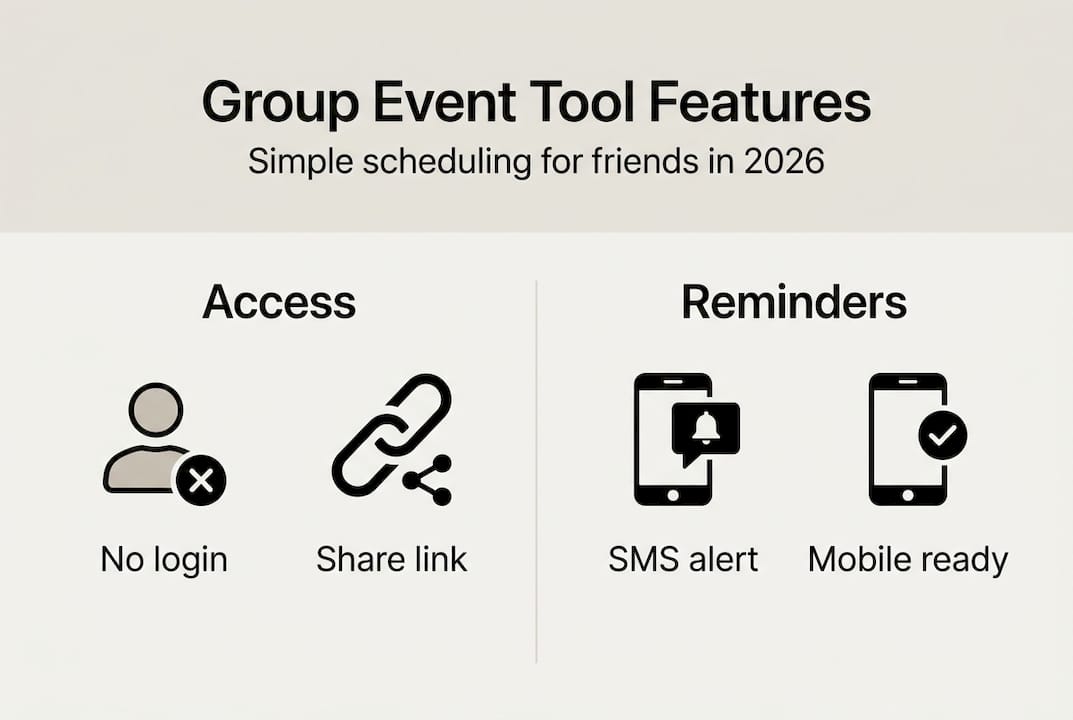
For young adults specifically, mobile-first apps like Sesh with SMS minimize hassle compared to desktop-heavy tools that require opening a browser and navigating a full website. Speed and simplicity win every time.
Here's a quick checklist of what to look for:
- No account required for participants
- Works on any device without downloading an app
- Shareable via a single link
- Displays results clearly so the best time is obvious
- Sends reminders automatically
If a tool checks most of these boxes, it's worth trying. You can also browse effortless scheduling alternatives to compare what's out there before committing to one.
Tips to make your next event a breeze
After exploring the best tools and features, here's how you can make your next hangout or activity painless to plan.
Knowing the tools is half the battle. Using them well is the other half. These steps will help you go from "we should hang out" to a confirmed plan in under 10 minutes.
- Pick one tool and stick with it. Consistency matters. When your group knows you always use the same scheduling link, they respond faster because the process feels familiar.
- Propose three to four time slots only. Polling tools work best when choices are limited. A focused set of options leads to quicker consensus.
- Set a response deadline. Give people 24 to 48 hours to vote. Open-ended polls drag on forever.
- Use SMS or push reminders. If your tool supports it, send a reminder the day before the deadline. Response rates jump noticeably.
- Confirm with one message. Once the winning time is clear, send a single confirmation to the group. Keep it short and celebratory.
- Save the link for next time. Some tools let you duplicate a past poll. Reusing a setup saves even more time for your next event.
Pro Tip: Assign one person in the group to be the "planner" for each event. Rotating this role keeps things fair and means one person isn't always doing the coordination work.
The goal is to make planning feel as easy as showing up. When the logistics are handled quickly, everyone can focus on actually looking forward to the hangout. Bookmark a few essential scheduling tools so you're always ready to kick off the next plan without hesitation.
Ready to make group planning effortless?
Now that you know how simple group event scheduling can be, you can put it into action with a tool designed for you.
Grooop by Groop Labs was built specifically for friend groups who want to skip the chaos and get straight to the fun part. It automatically lines up everyone's availability, surfaces conflicts before they become problems, and gives your group simple, clear choices without the endless back-and-forth. No complicated setup. No pressure.

Whether you're planning a weekend hike, a movie night, or a casual dinner, Grooop keeps the vibe relaxed while handling the logistics behind the scenes. It's the kind of tool that feels like it was made for your specific group, because it kind of was. Head over to the Groop Labs event scheduler and see how fast your next plan comes together. Your group will thank you.
Frequently asked questions
What's the easiest way to schedule a group event with friends?
Polling tools like Doodle and When2meet let everyone vote on proposed time slots via a shared link, making group scheduling fast and decision-free for the organizer.
Do I need an account to use event scheduling tools?
No. Doodle and When2meet require no participant accounts, so your friends can vote without signing up for anything or downloading an app.
Which app works best for young adults on mobile devices?
Sesh excels for casual friend groups thanks to its mobile-first design and SMS reminders, which means faster responses and less chasing people down.
How do I avoid endless group chats when planning?
Share a polling link instead of asking open questions in the chat. Polling tools eliminate email chains and group chat clutter by collecting votes automatically in one place.