
Articles
How to simplify group planning: stress-free steps
Tired of endless group chats going nowhere? Learn simple, stress-free steps to organize friend group plans fast using smart tools and clear strategies.

How to simplify group planning: stress-free steps

TL;DR:
- Effective group planning requires structured proposals with clear activity, date, budget, and response deadlines.
- Using polling tools and apps reduces decision fatigue and streamlines confirmation of plans.
- Aim for 6 to 12 people in casual groups to maintain manageable coordination and avoid chaos.
Planning a hangout with your friend group sounds fun until the group chat turns into a 200-message spiral of "idk, what do you want to do?" and three people going silent. Coordinating even a simple movie night or weekend outing can feel like herding cats when everyone has different schedules, opinions, and energy levels. The good news is that the chaos is not inevitable. With the right setup and a few smart tools, you can go from decision paralysis to confirmed plans in under an hour. This guide walks you through exactly how to do that, step by step, without the drama.
Table of Contents
- Understand what causes group planning chaos
- Prep your group: Set clear goals and limits
- Use tech: Tools and apps that do the work for you
- Run the plan: Launch, track, and adjust with less drama
- Why most group planning advice misses the real fix
- Take group planning stress from 100 to zero with Groop
- Frequently asked questions
Key Takeaways
| Point | Details |
|---|---|
| Identify planning pain points | Recognize why plans collapse so you can avoid classic mistakes and group stress. |
| Clarify upfront details | Share activity, date, budget, and minimum attendees at the start to boost commitment. |
| Use polls and event apps | Let online tools handle scheduling and voting for you instead of endless chat debates. |
| Automate confirmations | Set deadlines and auto-cancel rules to keep plans moving and friends engaged. |
Understand what causes group planning chaos
Now that you know help is on the way, let's look at why group planning can drive everyone up the wall.
The number one culprit is the endless chat loop. Someone throws out a vague idea, a few people react with emojis, and then nothing happens. No one steps up to make a call, and the thread dies. This pattern repeats until someone gives up or the weekend is already gone.
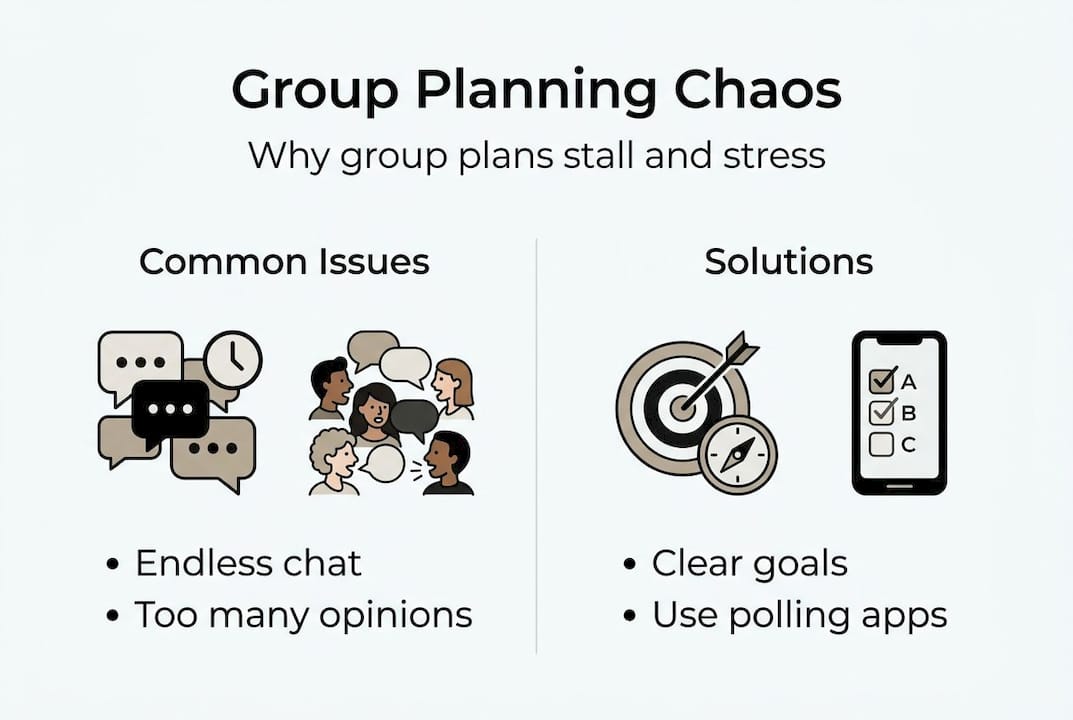
Another big issue is too many opinions with no structure. When everyone can say anything at any time, conversations branch in ten directions at once. You end up debating Friday vs. Saturday while also arguing about pizza vs. tacos, and no actual decision gets made. Good group planning tips always start with narrowing the options before opening the floor.
Group size matters more than most people realize. Research shows that 6 to 12 people is the sweet spot for manageable group coordination. Below six, plans feel low-stakes and easy. Above twelve, you are essentially running a small event, and the logistics multiply fast. If your crew is larger, consider splitting into two smaller groups for easier planning.
Here is a quick look at the difference between chaotic and streamlined planning:
| Chaotic planning | Streamlined planning |
|---|---|
| Open-ended "what should we do?" | Specific activity proposed upfront |
| No deadline for responses | Clear RSVP deadline set |
| Budget never discussed | Budget range shared early |
| Anyone can change the plan | One person confirms final details |
| Plans fall apart if one person bails | Minimum headcount set in advance |
Some of the most common pitfalls that kill plans before they start include:
- Vague timing: Saying "sometime this weekend" instead of a specific day and time
- No clear organizer: When everyone assumes someone else is handling it
- Ignoring budget: Forgetting that not everyone can spend the same amount
- No backup plan: If the first idea falls through, the whole thing collapses
"The moment a group chat becomes the planning tool instead of just the communication tool, things start to fall apart. Planning needs structure, and chats are built for conversation."
Recognizing these patterns is the first step. Once you can spot them, you can stop them before they derail your next hangout.
Prep your group: Set clear goals and limits
Once you know why things fall apart, the next step is prepping your group for smooth decision-making.

The biggest shift you can make is to come to the group with a specific proposal instead of a question. Instead of "what should we do this weekend?", try "I'm thinking mini golf on Saturday at 3pm, around $15 per person, who's in?" That one change removes most of the friction right away.
Here is a simple process to follow before you even open the group chat:
- Pick an activity. Choose something concrete, not a category. "Bowling" beats "something active."
- Set a date and time. Give a specific window, not a range of days.
- Name your budget. Share a per-person estimate or a cap so no one feels awkward later.
- Decide on a minimum headcount. If fewer than four people can make it, maybe reschedule. Say that upfront.
- Set a response deadline. Give people 24 to 48 hours to reply before you make the call.
Proposing an activity, date, and minimum attendees before you start polling is one of the most effective ways to cut decision fatigue. Decision fatigue is the mental exhaustion that comes from making too many choices, and it is a real reason why group plans stall.
Over 30 million people use polling tools monthly because they reduce planning friction by giving people clear, limited choices instead of open-ended questions. That is the same principle at work here: fewer choices, faster decisions.
Pro Tip: Always have one or two backup ideas ready before you send the invite. If your first plan falls through because of weather or a scheduling conflict, you can pivot instantly instead of restarting the whole conversation.
Also, consider using efficient group chats as a communication layer, not a planning tool. Share updates and hype the event there, but keep the actual decision-making in a poll or a dedicated app. That separation alone makes a huge difference.
Use tech: Tools and apps that do the work for you
With your plan ready, it is time to make technology your best friend for group organizing.
The right tool depends on what you need. For simple scheduling, polling apps like Doodle and WhenAvailable are hard to beat. They find common availability without any back-and-forth messaging. You set up a poll with a few time options, share the link, and everyone clicks their availability. Done.
For quick, low-stakes decisions, built-in group chat polls in WhatsApp or iMessage work great. They are instant and require no extra app. If you want to learn how to create a Doodle poll from scratch, it takes about two minutes and no account is needed for participants.
Here is a comparison of the most popular options:
| Tool | Best for | Free tier | Account needed? |
|---|---|---|---|
| Doodle | Scheduling across time zones | Yes | Organizer only |
| WhenAvailable | Casual availability matching | Yes | No |
| WhatsApp polls | Quick group votes | Yes | Yes (WhatsApp) |
| iMessage polls | Apple users, fast decisions | Yes | No |
| Grooop | Ongoing friend group coordination | Yes | Yes |
Doodle is free for scheduling at the basic level, while premium apps handle more advanced needs like expense splitting or recurring event management. For most casual friend groups, the free tier of any of these tools is more than enough.
Some key things to look for when choosing a tool:
- No account required for participants so friends do not have to sign up just to vote
- Mobile-friendly interface since most people will open the link on their phone
- Deadline setting so you can close the poll automatically
- Simple results view that shows the best time at a glance
Pro Tip: If your crew is tech-resistant, pick a tool that requires zero sign-up for voters. Friction at the response stage is one of the top reasons polls go unanswered.
For groups that hang out regularly, apps that reduce stress through automation are worth exploring. Apps designed for hassle-free group coordination go beyond scheduling and handle the full flow, from availability to confirmation. If you want to dig into what makes these tools tick, a breakdown of group chat features can help you figure out what your crew actually needs.
Run the plan: Launch, track, and adjust with less drama
Now that you know which tech to use, here is how to actually run your plan with less work and drama.
Once your proposal is ready and your tool is picked, follow this simple launch sequence:
- Send the poll or invite. Include the activity, location, date options, and budget in the message so people have full context.
- Set a clear deadline. Tell the group when voting closes, like "please respond by Thursday night."
- Use built-in chat polls first. Starting with polls in chat apps for quick preferences before moving to detailed planning saves everyone time.
- Check your minimum headcount. If not enough people commit by the deadline, auto-cancel or reschedule without guilt.
- Confirm with the group. Once you have enough responses, send one final message with the confirmed plan: time, place, and anything people need to bring or know.
For a more detailed breakdown of how this fits into a repeatable system, the group event planning workflow guide is a great next read.
What about slow responders? Give a gentle nudge in the group chat 12 hours before the deadline. Keep it light, something like "last call to vote, closing tonight!" Avoid calling people out individually, which can create pressure and bad vibes.
If people genuinely cannot agree on a time, do not let the thread drag on. Pick the option with the most votes and go with it. You can also try polls in iMessage as a fast tiebreaker if you are an Apple household.
Pro Tip: Include a backup date as one of the poll options from the start. That way, if the top pick does not work for enough people, you already have a second confirmed option without starting over.
Always update the group if anything changes, even small things like a location swap. One clear message beats five confused replies asking what happened.
Why most group planning advice misses the real fix
Finishing this guide, here is a hard truth worth saying out loud: most planning advice out there is written for coworkers, not friends. It assumes you have a project manager, a shared calendar, and people who are professionally obligated to show up. That is not your reality.
For teens and young adults in casual squads, the real problems are indecision, cognitive overload, and the slow fade when plans feel like too much work. No amount of extra group chat messages fixes that. What actually works is reducing the number of decisions people have to make, and that is exactly what polls and lightweight event apps do.
We have seen this firsthand in conversations with young adults who switched to structured polling and now host regular hangouts with almost zero stress. The shift is not about being more organized in a formal sense. It is about removing the friction that makes planning feel like a chore. When you follow planning trends for young adults and lean into tools built for casual coordination, the whole vibe changes. Plans actually happen. People actually show up.
Take group planning stress from 100 to zero with Groop
Ready to plan your next get-together without the drama? Here is your shortcut.
Everything in this guide, from setting clear proposals to running a clean poll and confirming attendance, is exactly what Grooop is built to handle. The app brings together availability matching, simple choices, and automatic conflict surfacing so your crew can go from "we should hang soon" to a confirmed plan without the usual chaos.

Groooop is designed specifically for casual friend groups, not corporate teams. It keeps the vibe relaxed while doing the logistical heavy lifting in the background. Whether you are planning a study session, a night out, or a spontaneous weekend trip, Grooop makes it feel effortless. Try it for your next hangout and see how fast planning can actually be.
Frequently asked questions
What is the best app for simplifying group plans?
Doodle and WhenAvailable are top free options for finding times quickly, while premium event apps like Grooop suit ongoing friend groups that need more than just scheduling.
How do you prevent group plans from falling apart?
Propose a clear activity, date, and minimum headcount before polling, and set an auto-cancel rule if not enough people commit. This removes pressure and reduces ghosting.
What's the ideal group size for easy planning?
Aim for 6 to 12 people for the highest manageability. Too few limits your options, and too many turns a simple hangout into a logistical puzzle.
Should I use group chat polls or a separate tool?
Start with built-in chat polls for fast input, then move to a dedicated app like Doodle or Grooop when the scheduling gets more complex or the group is larger.
Recommended
- How to organize group plans for stress-free hangouts | Groop Blog
- Streamline Your Group Event Planning: A Simple Workflow | Groop Blog
- Group planning tips: top tools and strategies 2026 | Groop Blog
- Group planning trends for young adults: easy coordination | Groop Blog
- How to streamline localization for global product teams - Gleef