
Articles
Group Chat vs Scheduling Tools: Planning Made Easy
Group chat vs scheduling tools: Discover their pros, key features, real-world uses, risks, and what works best for coordinating casual meetups.

Group Chat vs Scheduling Tools: Planning Made Easy

Trying to lock down plans with friends in a group chat can feel like running in circles. Messages stack up fast and availability checks turn into endless scrolls, making it easy to lose track of what was actually decided. For young adults juggling work and social life in cities from New York to Berlin, the need for efficient social coordination is real. This guide breaks down the real differences between group chats and scheduling tools, showing you how each approach can shape the way you organize hangouts, study sessions, or game nights without the usual chaos.
Table of Contents
- Defining Group Chat And Scheduling Tools
- Key Differences In Planning Processes
- Features That Simplify Social Coordination
- Real-World Scenarios And Success Stories
- Pitfalls Of Group Chats For Planning
- Choosing The Best Tool For Your Squad
Key Takeaways
| Point | Details |
|---|---|
| Group Chats Are Informal | They facilitate quick, personal conversations but struggle with organization, often leading to confusion in planning. |
| Scheduling Tools Enhance Clarity | By presenting information systematically, they reduce cognitive load and streamline the decision-making process. |
| Choose Tools Based on Context | For simple plans, group chats work, but larger or complex arrangements benefit from structured scheduling tools. |
| Separate Social and Logistical Decisions | Use group chats for social choices and scheduling tools for logistical coordination to optimize the planning process. |
Defining Group Chat and Scheduling Tools
When you're trying to organize a hangout with your crew, you're probably already living in a group chat. Text notifications pop up constantly, people drop their availability in scattered messages, and then you're left scrolling back through 47 messages to figure out who can actually make Friday night work. That's the reality of group chats as a coordination tool. They're built for quick, informal communication between multiple people, letting everyone exchange messages instantly and keep conversations flowing naturally. Group chats feel personal and spontaneous, which is why they're the default for friend groups. But here's the catch: group chat systems generate long, unstructured message streams that become increasingly difficult to follow as more people participate. The information you need gets buried under casual banter, jokes, and repeated questions about timing.
Scheduling tools take a completely different approach. Instead of back-and-forth messages, these tools give you structured ways to collect availability and make decisions. Think of them as dedicated containers for the planning part of your coordination. They might include shared calendars, time polls, or more sophisticated options that adapt based on your group's responses. Unlike the chaos of chat, scheduling tools present information in an organized format that everyone can understand at a glance. No scrolling required. No re-reading the same question five times because people missed the original message. The tradeoff is that scheduling tools feel more formal and less spontaneous than typing in a chat box with your friends.
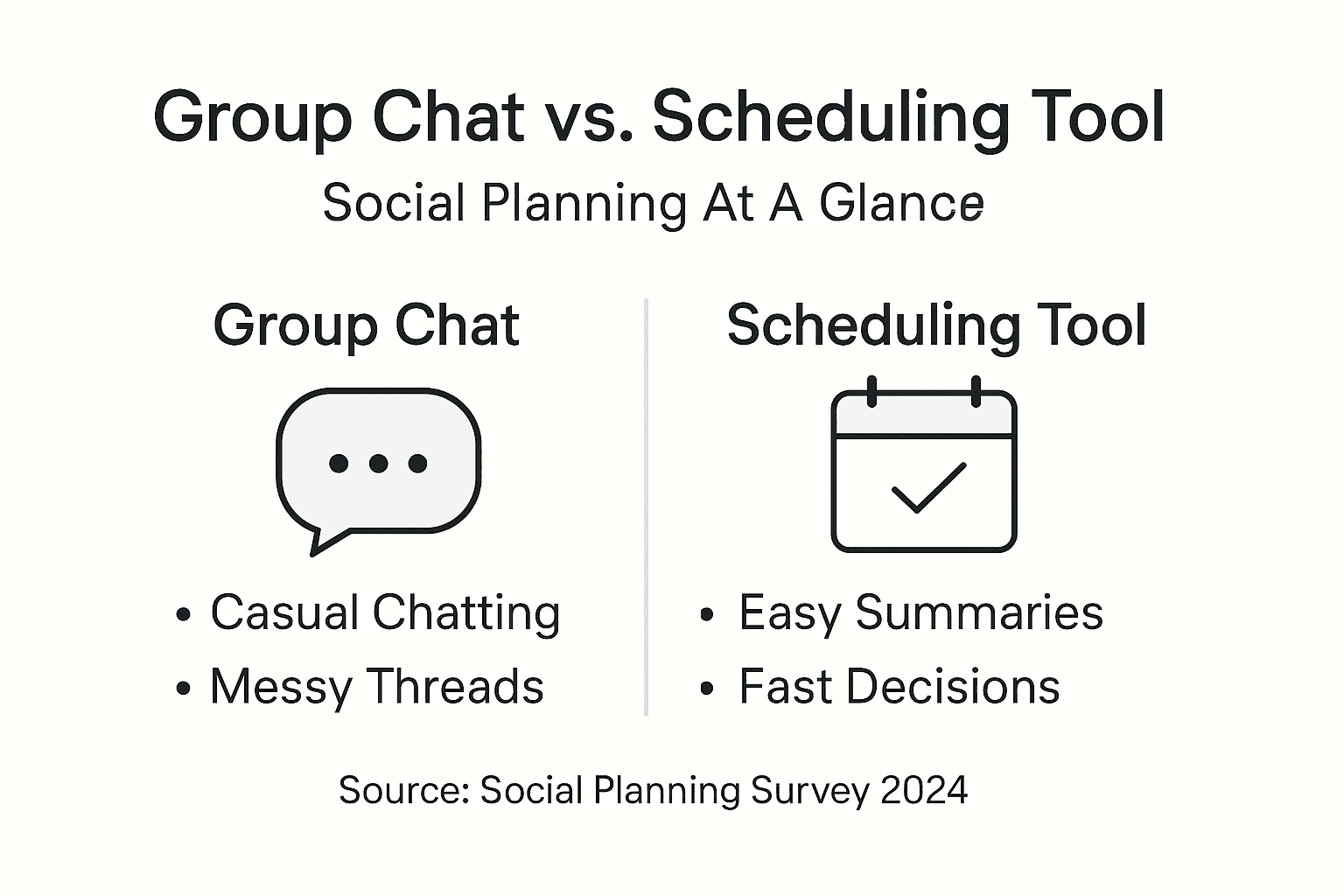
The real difference comes down to structure versus flow. Group chats prioritize the feeling of natural conversation and instant responses, but struggle with organization and clarity when coordinating actual plans. Scheduling tools prioritize clarity and efficiency, but lack the informal vibe that makes hanging out with friends feel natural in the first place. One captures how you naturally communicate; the other captures what you actually need to coordinate. Most friend groups today are trying to handle planning with only group chats, which is why you end up with endless back-and-forth, missed details, and plans that somehow never solidify until the last possible moment.
Pro tip: Try using your group chat for the social decision-making ("Hey, should we do burgers or ramen?") and a dedicated scheduling approach for the logistics ("Here's the availability window"), rather than expecting one tool to handle everything smoothly.
Here's a side-by-side comparison to help you understand how group chats and scheduling tools address social coordination challenges:
| Criteria | Group Chat | Scheduling Tool |
|---|---|---|
| Information Structure | Unstructured message flow | Organized, clear display |
| Decision Speed | Slow, often days | Fast, typically hours |
| Cognitive Load | High—manual aggregation | Low—automatic aggregation |
| Best For | Small, informal plans | Large, complex coordination |
Key Differences in Planning Processes
Here's where group chats and scheduling tools diverge most dramatically: how they actually handle the work of planning. When you're coordinating in a group chat, the process is conversational and informal. Someone asks "What time works?" and people start typing responses whenever they remember to check the chat. You're manually reading through each person's availability, mentally comparing time slots, and trying to identify overlap. If someone responds with "Maybe Friday after 7" and another person says "I can do anytime except Wednesday," you're the one doing the cognitive work to figure out if those match up. Attendees manually report availability through messages, leading to delays and potential misunderstandings. The entire process relies on your ability to track information that exists in fragments scattered across dozens of messages.
Scheduling tools flip this model on its head. Instead of you doing the mental math, the tool collects information systematically. Everyone inputs their availability through a structured interface, whether that's clicking time slots on a calendar or selecting preferred options from a list. The tool then aggregates all that information automatically. No more manual parsing. No more wondering if you missed someone's response buried three messages back. Scheduling tools apply algorithmic processes to gather preferences systematically and produce optimized decisions efficiently. The decision-making becomes semi-automated, which means the tool can actually find the best time for your group without anyone having to do the heavy thinking.

The speed difference is noticeable too. Group chat planning can stretch across days because people respond slowly or incompletely. Someone might not see the availability question for hours. Others might assume the plan is already decided and stop checking. With scheduling tools, the window for input is clear and finite. Everyone knows exactly what they need to do and when the decision will be made. Structured interfaces also reduce errors because people are selecting from clear options rather than trying to communicate complex schedules through text. Think about it: "I can do 6 or 7 on Friday" is way clearer than naturally understanding what "evening Friday works maybe" actually means.
Pro tip: If you're using a group chat, try summarizing availability findings in a quick message ("Looks like Friday at 7 works for everyone except Alex") to confirm your manual aggregation before finalizing plans.
Features That Simplify Social Coordination
The best tools for planning with friends share one critical trait: they reduce the amount of thinking you actually have to do. Scheduling tools accomplish this through specific features designed to handle the messy parts of coordination automatically. When you present clear time options rather than asking an open-ended question, people respond faster and more decisively. Dynamic scheduling systems can tailor available times based on partial inputs, which means the tool learns what works for your group and adapts suggestions accordingly. Instead of asking "What time works for everyone?" and waiting for twelve different responses, the tool might suggest "Friday at 7 PM" based on what it already knows about your group's patterns. This adaptive approach cuts through the decision paralysis that happens when options feel infinite.
Automated preference aggregation is another game changer. Rather than you manually tracking who said yes and who said maybe, the tool collects everyone's availability and instantly shows you the overlap. You see at a glance that eight people can make Friday but only three can do Saturday. No more scrolling. No more mental math. Group chats can also improve with better structure. Collaborative annotation and discourse act tagging help turn chaotic chat streams into manageable, comprehensible formats, making it easier to spot what actually matters in the conversation. When your chat system highlights key messages and summarizes decisions, people can catch up quickly without reading every single exchange.
The cognitive load reduction matters more than you might think. When you're the person mentally organizing everyone's availability, you're burning mental energy on something that a tool could handle instantly. That's energy you could use actually planning what you're doing together rather than wrestling with logistics. Scheduling tools handle the heavy lifting of preference aggregation, conflict detection, and option presentation. Group chats benefit from features that reduce noise and highlight important information, turning them from overwhelming message streams into actual coordination channels. The result is faster decisions, fewer misunderstandings, and less stress for whoever ends up being the de facto planner in your friend group. Managing hangout logistics becomes exponentially easier when the tool handles the structural work.
Pro tip: If your group chat lacks built in summarization, try sending a quick recap message listing the key options and asking people to react with emojis instead of typing responses, which forces clarity and speeds up aggregation.
Real-World Scenarios and Success Stories
Let's talk about what actually happens when people stop wrestling with group chats and start using structured scheduling. Picture this: you've got eight friends trying to organize a weekend trip. In a group chat, someone asks when everyone can leave. Responses trickle in over the next two days. Sarah says Friday evening works. Marcus says he needs until Saturday morning. Three people don't respond at all for 24 hours. By the time everyone has answered, you've sent 37 messages and still aren't sure if anyone is actually committing. With a scheduling approach, you present three specific departure time options. Everyone responds within an hour by selecting their preference. You see immediately that six people prefer Saturday morning, two prefer Friday evening. Decision made. The trip is locked in. That's the real-world impact that matters to your friend group.
The difference becomes even more striking in larger groups or when multiple events need coordination. Users experienced significantly lower cognitive load and faster, higher quality scheduling decisions when using adaptive tools compared to traditional methods like verbal messages. Research from real-world testing shows that people consistently report feeling less stressed about planning when they're not manually tracking availability themselves. One group reported that switching from pure chat-based planning to a structured scheduling method cut their average planning time from three days to under four hours. That's not just efficiency; that's the difference between plans feeling spontaneous and fun versus feeling like work.
The success extends beyond just speed. AI-facilitated decision-making systems improve coordination by efficiently aggregating preferences and reducing unnecessary interactions, with participants consistently reporting satisfaction with how decisions are made. Think about a regular Tuesday night when your group decides where to grab dinner. In a chat, someone suggests ramen. Three people say yes immediately. Two people suggest tacos instead. Then there's a three-message debate about whether there's a good taco spot nearby. Thirty minutes later, nobody has actually decided. Using structured options, you present "Ramen Street" and "Taco Haven" as choices. Votes come in seconds. Ramen wins 5-2. You're walking out the door while the chat group is still discussing.
The pattern holds across different friend group sizes and activity types. Study groups benefit from clear scheduling windows that prevent the constant "Is someone organizing this?" messages. Casual hangouts move from vague planning to actual commitments. Game nights get locked in without someone needing to chase down confirmations. The common thread isn't that one method is inherently better for all situations. It's that when you separate the social decisions from the logistics, both happen faster and feel less like friction.
Pro tip: Start by using structured scheduling for just the logistics (time, date, location) while keeping the fun decisions in your group chat (what to do, what to eat, what music to play), so you get the efficiency without losing the spontaneous vibe that makes hanging with friends enjoyable.
Pitfalls of Group Chats for Planning
Group chats feel natural for coordination, but they're actually terrible at it. The problem starts with the fundamental way they work: messages flow in a rapid, unstructured stream where everything gets jumbled together. Your friend Jake sends a joke. Someone responds with a meme. Then buried three messages later is actual information about availability. Group chats generate long, unstructured message streams that become difficult to comprehend as people rapidly exchange messages. By the time you scroll back to find who said they could meet on Thursday, you've seen five tangential conversations, three emoji reactions, and forgotten what you were even looking for. Important information doesn't stand out. It just sits there, indistinguishable from casual banter.
The cognitive load becomes brutal when you're the one trying to organize. Using group chats for scheduling involves extensive back-and-forth communication and high cognitive load for processing availability information, with organizers struggling to manually extract relevant data from long messages. You're essentially running a mental database of everyone's responses. Sarah can do Friday but not Saturday. Marcus might do Thursday. Three people haven't responded yet. Meanwhile, the conversation keeps moving forward, new messages pile up, and you lose track of who actually committed. The pressure to respond immediately also creates a false sense of urgency. Someone asks a question, and suddenly there's an expectation that you'll reply within minutes. If you don't catch the message right away, you feel like you're holding everyone up.
Misunderstandings are inevitable. When Marcus says "I can probably do Friday," does that mean he's definitely coming or just considering it? When someone responds with a thumbs up emoji, are they confirming or just acknowledging the message? These ambiguities multiply across eight or ten people, and by the time you think the plan is locked in, half the group thought it was still tentative. Key challenges include intertwined conversation threads, high message volume, difficulty distinguishing important information, and pressure for quick synchronous responses, contributing to missed messages and misunderstandings. There's also the sunk cost problem: you've invested so much time discussing in the chat that changing the plan feels difficult, so you settle for a suboptimal time that nobody is actually thrilled about.
The worst part? Plans often die in the group chat altogether. Why plans fail in group chats is a pattern most friend groups know too well. Someone suggests something. The conversation starts. Then life happens. People get distracted by other messages. A few days pass. The plan never solidifies. Nobody explicitly decided not to do it; it just faded away because there was never a clear moment where everyone committed. Group chats work great for deciding between ramen and tacos in the moment. They fail spectacularly at actual planning.
Pro tip: When using a group chat for planning, send one final confirmation message that clearly states the locked-in details ("Okay, Friday at 7 PM at the coffee shop. React if you're in.") and wait for everyone to respond before considering the plan finalized.
Choosing the Best Tool for Your Squad
Here's the thing: there's no one-size-fits-all answer. The right tool depends entirely on your group's specific situation. A group chat works fine for three friends deciding where to grab coffee on Saturday. It falls apart when you're organizing a coordinated group trip with ten people and multiple moving parts. Choosing an appropriate planning tool depends on group size, complexity of preferences, coordination needs, and context. For small, informal groups with straightforward schedules and simple decisions, a group chat handles the job adequately. Everyone knows each other. Responses come quickly. The stakes are low. You can tolerate a little chaos because the decision isn't complicated.
But as your group grows or your plans become more complex, the calculus changes. Add a few more people and suddenly group chats become unwieldy. Add multiple time options, venue choices, or special requests, and you're back to scrolling through endless messages trying to understand who needs what. Tools that dynamically adapt scheduling choices based on real-time inputs tend to reduce cognitive burden and improve decision speed. Structured scheduling tools shine when coordination demands increase. They handle larger groups efficiently. They manage complex preferences without confusion. They present information clearly so everyone understands the options and can make decisions quickly.
Consider your specific context too. Planning a casual dinner with your core friend group? Group chat probably works. Planning a birthday celebration that involves coordinating across multiple friend groups, time zones, or special dietary needs? That's when a dedicated scheduling tool earns its place. Formal work meetings with remote attendees have different demands than casual hangouts. Study groups juggling exam schedules need different approaches than weekend party planning. The key is matching tool complexity to actual coordination complexity. You don't need advanced features for simple decisions. But you absolutely need structure when decisions involve many variables.
Also consider your group's tolerance for new tools. Some friend groups embrace trying different apps. Others just want to stick with what they already use. If your squad will actually use a scheduling approach, it solves real problems. If they'll ignore it because everyone's already in the chat anyway, then it won't help. The best tool is the one people will actually use consistently. That said, you don't need everyone to adopt a new app. You just need enough people to shift from pure chaos to structured decision-making.
Pro tip: Start small: try a structured approach for just one specific type of coordination (like weekend plans) while keeping regular chats for everything else, so you can test the benefits without overhauling how your whole group communicates.
This table summarizes the impact of group size and plan complexity on choosing the right planning tool:
| Group Size | Complexity Level | Recommended Tool |
|---|---|---|
| 2-3 friends | Simple, casual plans | Group chat |
| 4-6 friends | Multiple options | Hybrid (chat + tool) |
| 7+ friends | Complex logistics | Structured scheduler |
Simplify Your Social Planning with Groop
The article highlights a common challenge: group chats create unstructured message chaos that makes coordinating plans overwhelming and stressful. If you have ever found yourself scrolling through endless texts, manually aggregating availability, or struggling to confirm who is actually coming you know how painful this process can be. The key goal is to maintain your group's natural vibe while eliminating the back-and-forth confusion that slows decision-making and leaves plans hanging.
Groop offers a perfect solution with its lightweight scheduling tool built specifically for casual friend groups. It takes the logistics off your mind by automatically collecting availability, spotting conflicts, and presenting simple clear choices for everyone. This means no more manual mental math or lost messages. By focusing on coordination instead of conversation, Groop keeps planning fast, pressure-free, and natural. See how Groop can change your group’s planning experience today.

Start turning your group chat chaos into smooth coordination now by visiting Groop’s homepage. Discover how easy scheduling gets when you separate social decisions from logistics. For a deeper look at reducing the planning stress feel free to check out the insights on managing hangout logistics and learn why traditional chats fall short in why plans die in the group chat. Take control of your friend group’s plans with Groop today and enjoy more time actually hanging out.
Frequently Asked Questions
What is the main difference between group chats and scheduling tools for organizing plans?
Group chats are ideal for informal, spontaneous communication but can become chaotic and unstructured when trying to coordinate plans. In contrast, scheduling tools offer a clear and organized way to collect availability and make decisions, reducing the cognitive load on participants.
How can scheduling tools improve decision-making speed compared to group chats?
Scheduling tools allow users to input their availability in a structured format, which enables quick aggregation of responses and decision-making within hours, whereas group chats may stretch across days due to the informal back-and-forth communication.
What features should I look for in a scheduling tool to simplify coordination?
Look for features that allow users to dynamically input their availability, automate preference aggregation, and clearly present time options. These features minimize manual tracking and help facilitate faster, more efficient decision-making.
Is it effective to combine group chats with scheduling tools for planning?
Yes, using group chats for casual discussions and a dedicated scheduling approach for logistics can enhance the planning experience. This allows your group to enjoy the informal communication style while also achieving the clarity and efficiency needed for making decisions.