
Articles
Snapchat Guide: Essential Tips and Features for 2026
Discover the ultimate Snapchat guide for 2026 with tips on new features, privacy, creative tools, and safe sharing. Join us and make Snapchat work for you.

Imagine you’re out with friends in 2026, capturing those spontaneous moments that make you laugh days later. For many of us, snapchat is still the place where these memories come alive, with playful filters and real-time chats keeping every day fresh.
This guide is here to help you get the most out of snapchat’s latest updates. Whether you’re curious about new creative tools, want to fine-tune your privacy, or just need tips for smoother chats, we’ve got you covered.
Inside, you’ll find easy steps for setting up your profile, insights into the newest features, and gentle advice to keep your experience safe and fun. If you’re ready to make snapchat work for you in 2026, let’s explore together.
Getting Started with Snapchat in 2026
Jumping into snapchat in 2026 feels like joining a group chat that never sleeps. Whether you are brand new or returning after a break, the setup is smoother than ever. Let us walk through the basics together, so you can start sharing your world in just a few taps.

Setting Up Your Account and Profile
Getting started with snapchat begins with a quick download from your app store. After installing, tap to open and follow the prompts to register with your email or phone number. Choose a secure password, mixing letters, numbers, and symbols for extra strength. For even more peace of mind, enable two-factor authentication.
Pick a username that feels personal yet memorable. Next, dive into Bitmoji customisation. In 2026, there are fresh styles, from bold hair colours to the latest digital streetwear. Your Bitmoji is your digital self, so dress it up however you like. With over 5.6 million app ratings on iOS, snapchat’s popularity speaks for itself. A well-set profile makes it easier for friends to find and connect with you, setting the tone for more meaningful interactions.
Navigating the Home Interface
When you open snapchat, the first thing you see is the camera screen. Swipe right to chat, left to view Stories, up for Spotlight, or down to visit the Map and Memories. Each section is easy to reach, making the whole experience feel light and spontaneous.
In 2026, the interface is even more accessible, with bigger buttons and clearer icons. Trending lenses are now just a tap away on the home screen, letting you jump straight into creative fun. Whether you are snapping a quick moment or exploring what’s new, the intuitive layout keeps things playful and stress free. It is like having all your favourite ways to connect in one friendly place.
Adding Friends and Managing Contacts
There are plenty of ways to add friends on snapchat. Scan a Snapcode, search for their username, or sync your phone contacts. You will get friend suggestions based on mutual connections, but you always control who joins your circle.
Managing contacts is simple. Tap to accept, ignore, or block requests. Set your privacy so only friends can see your Stories or location. If you ever need to unfriend or block someone, just tap their profile and select the option that fits. For more on keeping group chats positive and easy to manage, check out these chat groups and communication tips. Building your snapchat network with care makes every moment shared feel safer and more enjoyable.
Core Snapchat Features: What’s New and What Matters
Staying close to friends in 2026 is all about sharing real moments in a way that feels effortless. Snapchat continues to lead the way, making it easy for us to connect, create, and explore together. Let’s look at what’s fresh and what really matters in the daily snapchat experience.

Snaps, Stories, and Chat Updates
Snapping a quick photo or video is still at the heart of snapchat. In 2026, new AR filters and playful font options give every Snap a personal twist. Group Snaps now make it easier to share laughs with several friends at once, and Stories remain a favourite for updating your circle.
What’s especially interesting is that Stories are still a top pick for Gen Z, showing just how central snapchat is for sharing life’s daily highlights. If you’re curious about who’s using snapchat and why, these Snapchat User Demographics 2025 paint a clear picture of its popularity.
For group moments, collaborative Stories mean everyone can add their own take. It’s like building a digital scrapbook together, one Snap at a time.
Spotlight and Public Profiles
Spotlight is where creativity meets discovery. It’s snapchat’s answer to short-form, viral video fun, letting anyone try out trends or just share a silly moment. Crafting a Spotlight video is all about being yourself and having fun with editing tools.
Public Profiles are perfect for those who want to reach beyond their usual circle. You can customise your profile, share favourite Snaps and Stories, and maybe even go viral. In 2026, more users are finding communities and fans through Public Profiles, making snapchat less about followers and more about genuine connections.
Viral creators often start with a single clever idea, so don’t be afraid to experiment. Who knows—your next video could be the one everyone’s talking about.
The Snap Map and Location Sharing
Snap Map brings your world to life by showing where friends are and what’s happening nearby. You can check out local events, see trending places, and even join community stories. With new overlays for live events in 2026, discovering what’s happening in your area feels more inviting.
Privacy is always in your hands. Ghost Mode lets you stay hidden when you want, and location sharing can be adjusted at any time. Using the Map to join a community event or spot a local trend is a great way to feel part of something bigger on snapchat.
Remember, location features add fun context, but it’s always your choice how much you share.
Memories and Saving Your Snaps
Memories helps turn your snapchat moments into lasting keepsakes. You can save Snaps to your Memories, Camera Roll, or keep them extra private in “My Eyes Only.” In 2026, expanded Memories storage may require a subscription, but editing and organising your saved Snaps is still simple.
Flashback Stories let you relive and share past highlights. It’s a gentle way to balance nostalgia with privacy, letting you choose what to revisit and what to keep just for yourself.
Managing storage and privacy settings means your snapchat experience stays both personal and manageable, no matter how many memories you make.
Creative Tools: Filters, Lenses, and Bitmoji in 2026
Jumping into snapchat’s creative tools feels a bit like opening a box of art supplies with your friends nearby, ready to experiment. In 2026, these tools are more expressive, social, and fun than ever. Whether you’re here for a quick laugh, a heartfelt update, or a group creation, there’s something for everyone.
Using Filters and Lenses for Expression
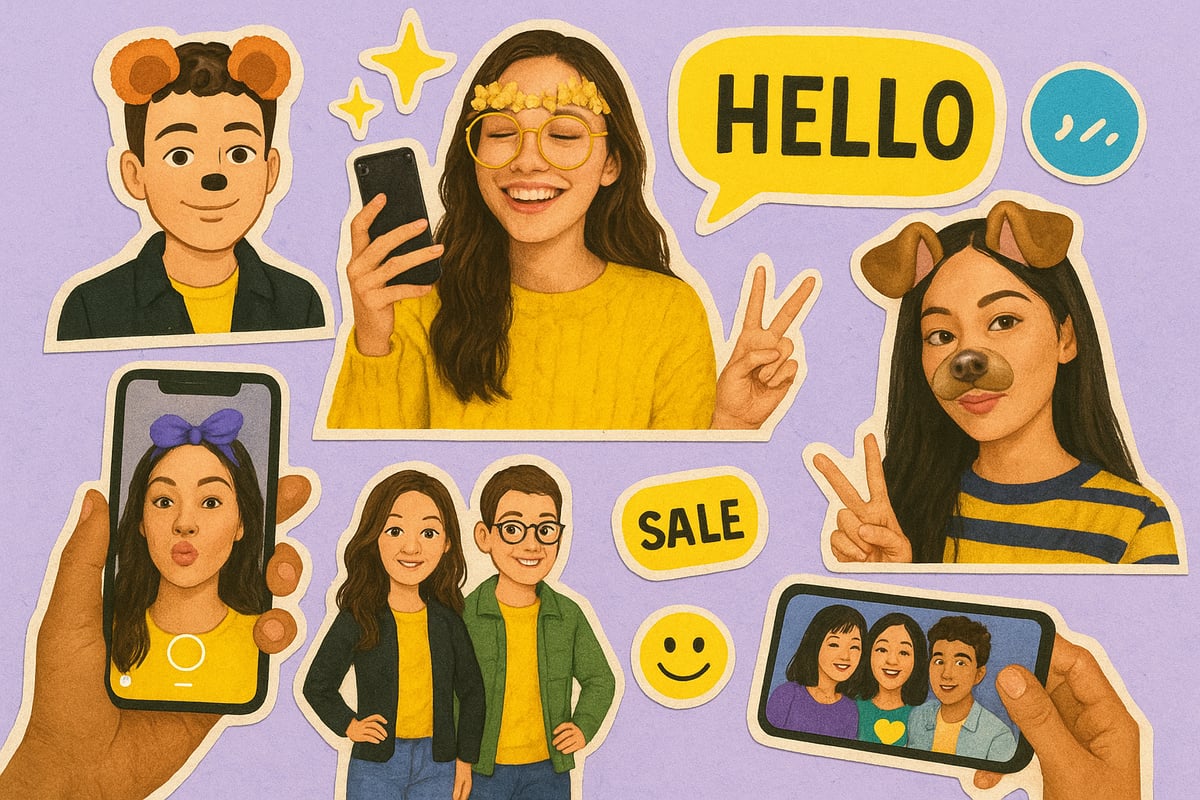
Filters and AR lenses have become the heart of snapchat’s playful side. In 2026, you’ll find daily new lenses, from AI-powered effects to interactive geotags that feel fresh every time you open the app.
Snapchat’s community keeps things lively by creating viral lens challenges, seasonal updates, and collaborative filters. For example, you might stumble into a lens that lets you try on virtual sunglasses or transforms your pet into a cartoon character.
Here’s what’s trending now:
- AI-driven lenses that adapt to your mood
- Interactive effects for group Snaps
- City and event geotags for local flair
It’s no wonder filters and lenses are cited as top reasons for daily use. If you’re curious about just how popular these features have become, check out the latest Snapchat Filter Statistics 2026 for a deeper dive into what’s catching on.
Bitmoji and Friendmoji Enhancements
Bitmoji gives everyone a personal canvas on snapchat. This year, customisation feels even more tailored, with new styles and accessories inspired by 2026’s fashion trends. You can update your avatar to match your real-world look or go bold with something unexpected.
Friendmoji stickers add another layer, letting you and your mates share inside jokes or celebrate moments with personalised flair. These stickers pop up in chats, Snaps, and even Stories, making every interaction feel a bit more “you.”
Fashion-forward Bitmoji outfits and new hair options keep things fresh. Whether you’re updating your avatar for a night out or just want to try something silly, Bitmoji makes self-expression on snapchat feel fun and low-pressure.
Advanced Camera Features and Editing Tools
The camera on snapchat has always been about capturing real moments, but now it’s also about creative freedom. Multi-snap recording lets you piece together your story, while hands-free and timer modes make group selfies much easier.
Editing tools are straightforward, offering text, stickers, drawing, and music integration. In 2026, AI-assisted photo enhancements and object removal help polish your Snaps without extra effort. There’s no need to worry about perfection—just have fun experimenting.
Need a quick comparison? Here’s what’s new:
| Feature | 2026 Update |
|---|---|
| Multi-snap | Smoother transitions |
| AI Enhancements | Auto-fix lighting, remove clutter |
| Music Integration | Trending tracks for Snaps |
With these updates, creating for snapchat feels like a gentle invitation to play around, not a task to master.
Collaborative and Group Features
Snapchat brings people together, not just through messages but with collaborative tools that make sharing easy. Group chats and Stories allow up to 16 friends to join video calls, use filters together, and even create shared Memories.
New in 2026, you’ll find group polls for quick decisions, collaborative editing for shared Snaps, and event planning right in the app. Planning a surprise party or just deciding on a weekend hangout? These tools make it light and flexible.
Here’s how collaboration comes to life on snapchat:
- Group Stories for shared moments
- Live video chats with lenses and filters
- Shared Memories for looking back together
It’s all about making coordination feel natural, so you can focus on enjoying time with your people—no pressure, just possibilities.
Privacy, Security, and Digital Wellbeing on Snapchat
Navigating privacy and safety on snapchat in 2026 feels a bit like setting healthy boundaries in a group chat. It is all about making the app feel like your space, while also keeping things light and secure. Let us explore how you can protect your privacy, understand data, and keep your digital wellbeing front and centre on snapchat.

Managing Your Privacy Settings
On snapchat, you are always in control of who sees what. Tap your profile, then head to Settings to manage who can view your Snaps, Stories, and location. You can easily adjust contact permissions, or block and unfriend anyone who makes you uncomfortable.
For extra peace of mind, set up strong authentication and use “My Eyes Only” for anything you want to keep just for yourself. This way, snapchat becomes a place where you can share memories and moments without worry.
Understanding Data Collection and Control
It is natural to wonder what snapchat knows about you. The platform collects usage data, device info, and sometimes contact details, but you can view, download, or delete much of this information in your account settings.
You might also choose to opt out of targeted ads and promotional messages, giving you more say in your experience. For a closer look at how snapchat handles privacy, check out the Snapchat Transparency Report H1 2025, which explains their policy actions and commitment to protecting users.
Digital Wellbeing and Safety Tools
Feeling good about your time on snapchat is just as important as privacy. The app offers in-app features for reporting abuse, bullying, or anything that feels off. Parental controls and new teen protection tools in 2026 help families set limits together, making snapchat feel safer for everyone.
You can also access resources for mental health, use screen time reminders, and set content filters if you need a break. These options let you shape your snapchat experience around what feels right for you.
Staying Safe with Public Sharing and AI Features
Public Stories, Spotlight, and AI-generated content can make sharing on snapchat even more fun, but it is worth thinking before you post. Set your Stories to private if you want, and use Ghost Mode on the Snap Map for more control over your location.
AI features like My AI are designed to help, but you can limit interactions or choose what you share. Mindful sharing keeps your digital presence healthy and ensures snapchat stays a positive space for everyone.
Troubleshooting and Common Issues in 2026
Snapchat is part of our daily routines, but even the best apps have their off days. When things go sideways, a gentle nudge in the right direction can make all the difference. Let’s walk through some common issues and ways to get back on track, so you can keep sharing and connecting with less hassle.
Account and Login Problems
It happens to the best of us: you open Snapchat, and suddenly, you can’t get in. Maybe it’s a forgotten password or a hiccup with two-factor authentication. The best first step is to tap ‘Forgot Password’—Snapchat will guide you through email or SMS recovery. If your account feels compromised, reset your password and check your recent logins.
Enabling two-factor authentication adds an extra safety net, making future lockouts less likely. If you’re locked out completely, Snapchat’s support page offers a step-by-step process to help you restore access, so you’re never left out of the loop for long.
Memories, Storage, and Subscription Changes
With all those group Snaps, Stories, and flashbacks, storage can fill up fast. In 2026, Snapchat introduced expanded Memories storage for subscribers. If you’re running out of space, you can export your favourite Snaps to your phone’s gallery or cloud storage as a backup.
Not ready to subscribe? Free alternatives include manually saving key moments outside Snapchat, so nothing gets lost. Many users have shared feedback about these changes, and it’s okay to take your time deciding what works best for you.
Support, Reporting, and Community Help
Sometimes, you need a helping hand or just want to flag a bug. Snapchat’s Help Centre is always open for questions about anything from public profile glitches to reporting abuse. If you spot something odd, use the in-app reporting feature to let the team know.
For more complex issues, connecting with the Snapchat community can be surprisingly helpful. Whether you’re troubleshooting alone or with friends, gentle support is always just a few taps away.Now that you’re all set with the latest Snapchat tips and features for 2026, imagine how smooth things could be if your group plans were just as easy and fun to organise. We all know group chats can get a bit chaotic, especially when everyone’s pitching ideas and schedules clash. If you’re ready to take the hassle out of planning with friends—while still keeping things spontaneous and pressure free—why not join the beta of Groop It’s a friendly space where making plans feels as simple and natural as snapping a photo together. Give it a try and let’s make those group moments happen!