
Articles
Free Group Chat Guide: Connect and Collaborate in 2026
Discover the best free group chat tips for 2026 to help us connect, collaborate and stay organised. Join our friendly guide and make group chats work for everyone.

Ever felt lost in a flurry of messages, missing out on plans or important updates because your chats are scattered across too many apps? In 2026, as our days fill up and connections multiply, finding a free group chat that truly brings people together can feel like a lifesaver.
This guide is here to help you cut through the noise and discover easy, people-friendly ways to stay connected. We’ll walk you through choosing the right platform, setting up your own group chat, making teamwork seamless, keeping things tidy, and exploring fresh features that make group chats lighter and more natural.
Let’s make group coordination feel less like a chore and more like a joy. Ready to find your flow? Dive in and see how effortless staying in touch can be.
Why Free Group Chats Matter in 2026
Life in 2026 feels busier, but somehow more connected too. Group chats have quietly woven themselves into the fabric of our daily routines. Whether it is catching up with friends, sharing updates with family, or coordinating with colleagues, these conversations are where plans come together and memories are made.

The Social Pulse: Group Chats as Everyday Life
In 2026, group chats are at the heart of how we stay in touch. More than 80 percent of UK adults use group chats every week, according to WhatsApp's 2025 Group Chat Statistics. It is where plans are born, jokes are shared, and big decisions are made. Think about planning a birthday, organising a study session, or just checking in with family.
The days of endless email threads and missed SMS messages are fading. Now, people expect conversations to be instant, easy, and open to everyone who matters. A free group chat makes this possible, letting us keep our circles close, no matter how busy life gets.
Accessibility and Inclusion for All
One of the best things about a free group chat is that it is open to everyone. There is no cost to join, so nobody is left out because of money. Whether you are chatting from your phone, laptop, or a web browser at the library, you can stay connected.
This matters to students organising study groups, families spread across the country, remote teams, and local volunteers. Free group chat apps make sure everyone has a seat at the table. For example, a family group can catch up after dinner, while a volunteer team can quickly coordinate their next community clean-up.
The Downside of Traditional Group Chats
Of course, group chats are not always perfect. Endless notifications can make your phone feel like it is buzzing non-stop. Important messages get lost in the flood, and making decisions can feel impossible when everyone is talking at once.
There is also the social pressure to keep up, which can be tiring. Some people worry about privacy too, especially when sensitive topics are discussed. This is why a free group chat should offer tools that help things feel more human, making it easier to stay involved without feeling overwhelmed.
The Rise of Smarter, Simpler Group Coordination
Looking ahead, group chat platforms are getting lighter and smarter. New features help reduce noise, keep things organised, and give users more control. The future of free group chat is all about flexibility and making group life feel less like a chore and more like a natural part of our day.
Choosing the Right Free Group Chat Platform
Choosing a free group chat platform can feel like picking the right gathering spot for your friends or team. It should make life easier, not more complicated. With so many options in 2026, the key is to find something that fits your group’s style and keeps everyone connected, without fuss.

Key Features to Look For
A free group chat should feel like a cosy living room, not a noisy train station. Look for features that help everyone feel at home:
- Simple onboarding: Easy to join and invite others, even if they’re not techy.
- Rich media sharing: Support for text, images, files, reactions, and polls.
- Privacy and moderation: Clear controls for who can join, share, or manage the group.
- Customisation: Options for nicknames, themes, and notification settings.
- Integration: Links with calendars, shared docs, or other apps your group already uses.
Choosing a free group chat with these basics means less time troubleshooting and more time actually connecting. The right features should quietly support your group, never get in the way.
Top Free Group Chat Platforms in 2026
There’s no shortage of free group chat apps, each with its own personality. Here’s a quick look at some favourites:
| Platform | Best For | Notable Features |
|---|---|---|
| Microsoft Teams Free | Work, study groups | File sharing, calendar integration, large groups |
| Friends, families | Simple setup, voice/video, new group chat enhancements like tags and reminders | |
| Discord | Gaming, hobbies | Voice channels, custom roles, topic threads |
| Telegram | Large public groups | Unlimited size, robust search, file storage |
| Signal | Privacy-first chats | End-to-end encryption, minimal data collection |
A free group chat platform should meet your group’s needs now and grow with you over time. Look for updates and new features that keep things feeling fresh without being overwhelming.
Matching Platforms to Your Group’s Needs
Every group is a bit different, and your free group chat choice should reflect that. Think about:
- Group size: Tiny teams or big communities?
- Tech comfort: Is everyone happy downloading an app, or do you need something web-based?
- Privacy: Do you need strong encryption or just basic controls?
- Purpose: Quick catch-ups, project planning, or just sharing memes?
If your group loves gaming, Discord might feel like home. For big public discussions, Telegram is a solid pick. Privacy-focused friends might prefer Signal, while Microsoft Teams Free is great for collaborative work. The best free group chat is the one everyone actually enjoys using.
Avoiding Overwhelm: Less is More
It’s tempting to try every free group chat out there, but that can quickly lead to notification overload. Stick with one main platform when possible, and invite group input before making a switch.
Keep things easy, let people mute or customise notifications, and remember: there’s no rush. The right free group chat should bring people together, not add stress.
How to Set Up a Free Group Chat: Step-by-Step
Starting a new free group chat should feel as easy as gathering friends in your living room—no pressure, just an open invitation to connect. Here’s a gentle, step-by-step guide to help you bring everyone together, set the right tone, and keep things organised from the very first message.

Getting Everyone Onboard
Inviting people to your new free group chat should be simple and welcoming. Most apps let you share a link, scan a QR code, or send a direct invite—pick whatever feels friendliest for your group.
If someone’s new to group chats, a quick intro goes a long way. You might say, “Hi everyone, welcome! This is just a relaxed space for us to catch up, share updates, and plan things together.” Setting gentle expectations helps everyone feel included from the start.
A sample group guideline could look like:
- Join in when you like, no need to reply right away.
- Share anything that feels helpful or fun.
- Respect everyone’s privacy and pace.
Group chat is now part of daily life for most people in the UK, as shown in the Digital 2025: United Kingdom Report. Knowing this can help reassure anyone feeling unsure about joining in.
Creating Your First Group Chat (Chronological Steps)
Getting your free group chat up and running only takes a few steps:
- Choose your platform—WhatsApp, Microsoft Teams Free, Discord, or whichever feels right.
- Start a new group or chat room.
- Add members by name, phone, or email.
- Give your group a friendly name and pick a profile image.
- Send your first message to break the ice.
- Pin a welcome note or any important info for easy reference.
Each of these steps helps make your free group chat feel like a shared space, not just another app. You can always edit the group name or image later, so don’t stress about getting it perfect on the first try.
Managing Group Settings and Privacy
Once your free group chat is rolling, take a moment to check the settings. Adjust notifications so people aren’t overwhelmed—many apps let you mute chats during quiet hours or only get alerts for mentions.
Decide who can add new members or change group info. If your chat is for a project or club, you might want a couple of moderators to keep things friendly and on-topic.
Use moderation tools if needed—like removing spam or setting up rules. For example, you could suggest muting the chat overnight, so everyone gets a break. These small tweaks help your free group chat stay welcoming and stress-free for all.
Keeping the Vibe Light and Welcoming
A free group chat should feel like an open door, not a to-do list. Remind everyone that joining in is always optional and nobody’s expected to reply instantly. Emojis, GIFs, and reactions can lighten the mood and make the space feel playful.
If plans are up in the air, that’s okay—let conversations evolve naturally. Respecting indecision and gentle participation keeps your free group chat friendly and pressure-free, so everyone feels comfortable coming and going as they please.
Making Collaboration Effortless in Group Chats
Staying connected in a group should feel light, not like another chore. The right free group chat can make it easy to share, plan, and keep things moving at a gentle pace. Let’s explore how simple features help us work together, stay organised, and keep everyone comfortable.
Using Built-In Collaboration Tools
Free group chat platforms come with clever tools that make working together feel natural. You can quickly share photos, files, or handy links, so everyone has what they need in one spot.
Some apps offer real-time document editing, letting us co-create or update plans together. Scheduling events and sending reminders is easy, too—no need to chase people with endless texts. For example, Microsoft Teams Free lets us co-edit a project doc or drop a calendar invite straight into the chat.
The best part? These features are just there when we need them. No pressure, just simple ways to make group life smoother in any free group chat.
Keeping Conversations Organised
It’s easy for group chats to get busy. Luckily, most free group chat apps help us keep things tidy, so nothing gets lost.
- Pin important messages or files so they’re always at the top.
- Use threads or topics to split up different conversations.
- Search and archive tools make it simple to find old messages or plans.
Imagine pinning the next meetup date, or keeping a poll result handy for everyone. These little touches keep our free group chat clear, so we all feel included and up to speed.
Reducing Noise and Notification Fatigue
Group chats should help, not overwhelm. It’s all about finding a rhythm that suits everyone, letting us check in when we’re ready.
- Mute chats during quiet times or use “do not disturb” modes.
- Customise notifications to only ping for mentions or keywords.
- Keep messages short and clear, so plans don’t get lost in long threads.
Setting quiet hours, or asking before tagging the whole group, can make a big difference. In a free group chat, these gentle habits help avoid notification overload and let us enjoy connecting at our own pace.
Respecting Everyone’s Pace and Preferences
Every group has its own vibe, and that’s a good thing. A welcoming free group chat lets people opt in or out of topics as they wish.
It’s perfectly fine to say “maybe later” or not reply straight away. Flexibility is key—some days we’re chatty, some days we’re quiet. The best group chats make space for all of us, whether we’re leading the plan or just happy to listen.
Building a culture that values comfort over urgency helps everyone feel at home in the free group chat.
New Features and Trends in Free Group Chats for 2026
Group chats keep evolving, and in 2026, the best free group chat platforms are feeling lighter, smarter, and more in tune with real life. Let’s take a look at what’s new and how these changes can make group coordination feel easier and less effortful for everyone.
Smarter Suggestions and Automation
AI is making free group chat experiences feel less cluttered and more helpful. Many platforms now offer message summaries, so you can catch up on what matters without scrolling for ages. Smart replies make it easy to join in quickly, even if you’re busy.
Automatic reminders for group events or deadlines mean fewer forgotten plans. For example, some apps suggest meeting times based on everyone’s availability, taking the pressure off one person to chase responses. With so many people using group chats regularly, platforms are adapting to support bigger, more diverse groups. You can see how widespread group chat use is in the UK by checking Messenger Users in the UK, June 2025.
These small touches help free group chat tools fit into life, instead of asking people to fit around them.
Enhanced Privacy and Security
Privacy is now at the heart of every major free group chat platform. End-to-end encryption is becoming standard, so only you and your group can see your conversations. You’ll also find clearer controls for managing who can join or share information, which is reassuring for private or sensitive chats.
Transparency is improving too, with apps explaining exactly how your data is used. Tools like Signal have led the way, showing that a safe, private space is possible for every free group chat. This focus on trust makes it easier for everyone to join in without worry.
Seamless Integration with Other Tools
Free group chat platforms are more connected than ever. You can now link calendars, task lists, and cloud storage, making coordination feel simple and natural. One-click sharing from other apps is common, so it’s easy to add a photo, document, or event right into your chat.
For example, some group chats let you add a Google Calendar event or a shared document without leaving the conversation. These integrations help free group chat spaces become true hubs for collaboration, not just places to talk.
Personalisation and Accessibility
Everyone’s group chat style is unique, and platforms are letting us make things our own. Custom themes, fonts, and notification settings mean your free group chat can look and feel just how you like it.
Voice and video are now built in, making chats more accessible for all. Many platforms support multiple languages and translation features, so everyone can join the conversation. These updates help free group chat tools welcome everyone, whatever their needs or preferences.
Alternatives to Traditional Group Chats: Lighter Ways to Coordinate
Sometimes, even the best free group chat can feel a bit much. We’ve all been there—hundreds of unread messages, decisions that never quite stick, or that sense of missing out when you step away for a few hours. In busy lives, coordination should feel less like a chore and more like a gentle nudge.
When Group Chats Aren’t Enough
A free group chat is great for keeping everyone in the loop, but it’s not always the answer for every plan. Long threads can make it easy to lose track of important details, and sometimes, the pressure to reply quickly can feel overwhelming.
People often face:
- Plans that stall in endless “maybe” conversations
- Messages getting buried before everyone sees them
- The social fatigue of always being “on” in a busy chat
When your group is juggling schedules or just looking for a lighter way to make decisions, it’s natural to want something simpler than a traditional free group chat.
Groop: A Lighter Way to Make Plans
Groop is a friendly tool designed for those times when a free group chat just isn’t enough. Instead of constant back-and-forth, Groop helps your group pick dates and make decisions without all the noise.
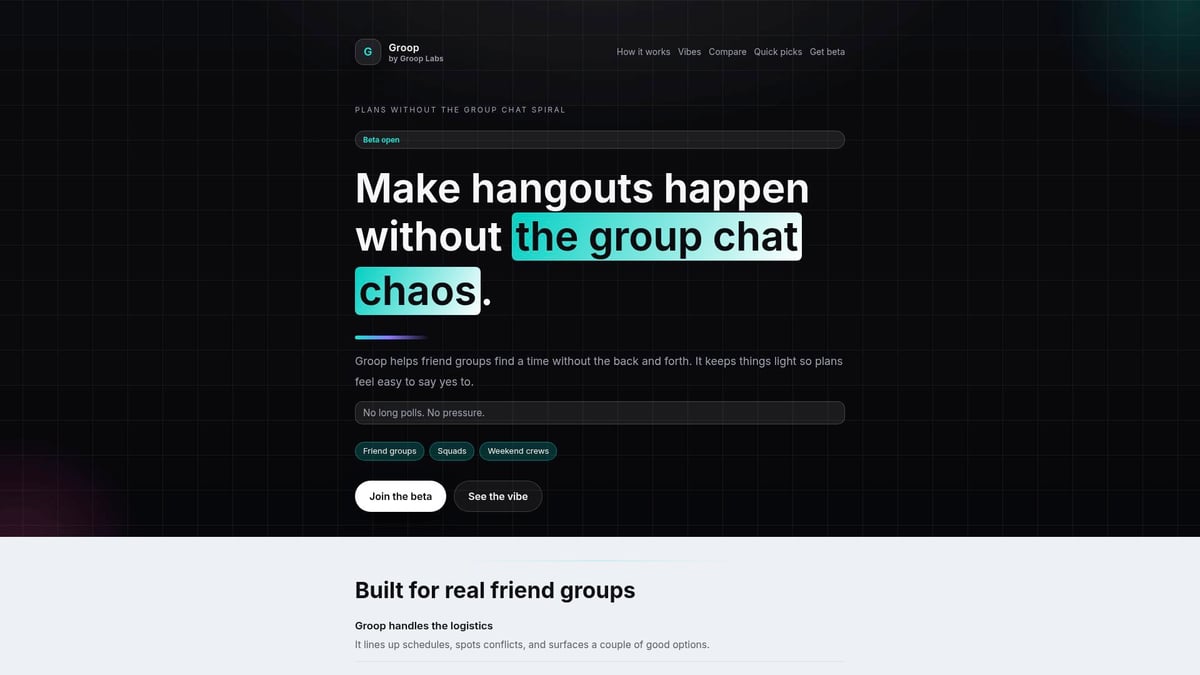
Here’s how it works:
- Suggest a few times to meet up or hang out
- Everyone votes for what works best, no pressure to reply instantly
- The plan comes together clearly, and you can still chat if you want
It’s ideal for students, friends, or anyone who wants less chat and more clarity. With Groop, planning feels light and breezy—not like another chore on your to-do list.
Other Coordination Tools and Methods
If your free group chat is getting a bit crowded, there are plenty of other ways to keep things organised. Polling apps, shared calendars, and collaborative docs can all help your group make decisions without piling on the messages.
Popular tools include:
- Doodle for quick polls and finding the best time
- Google Calendar to keep everyone synced up
- When2Meet for easy scheduling across busy diaries
Mixing a free group chat with these tools means your group can stay connected and coordinated, but without the overwhelm.
Building a Socially Aware Group Culture
No matter which free group chat or planning tool you choose, the real magic comes from how your group interacts. Respecting boundaries, giving people space to say “maybe later,” and sending gentle reminders can make coordination feel lighter for everyone.
Letting plans evolve naturally and valuing everyone’s pace helps your group stay connected—without the stress. Sometimes, figuring it out together is the best outcome of all.We’ve all felt the stress of endless group chats and trying to pin down everyone’s plans, haven’t we? That’s why finding new ways to coordinate without the usual overwhelm makes such a difference. If you’re looking for a tool that takes the pressure off and helps your group make decisions naturally, Groop might be just what you need. It’s all about making plans feel easy, with clear options and no chaos—so everyone stays in the loop and no one feels left out. Curious to see how it works for your crew? Check us out and discover a lighter way to connect.